Introduction
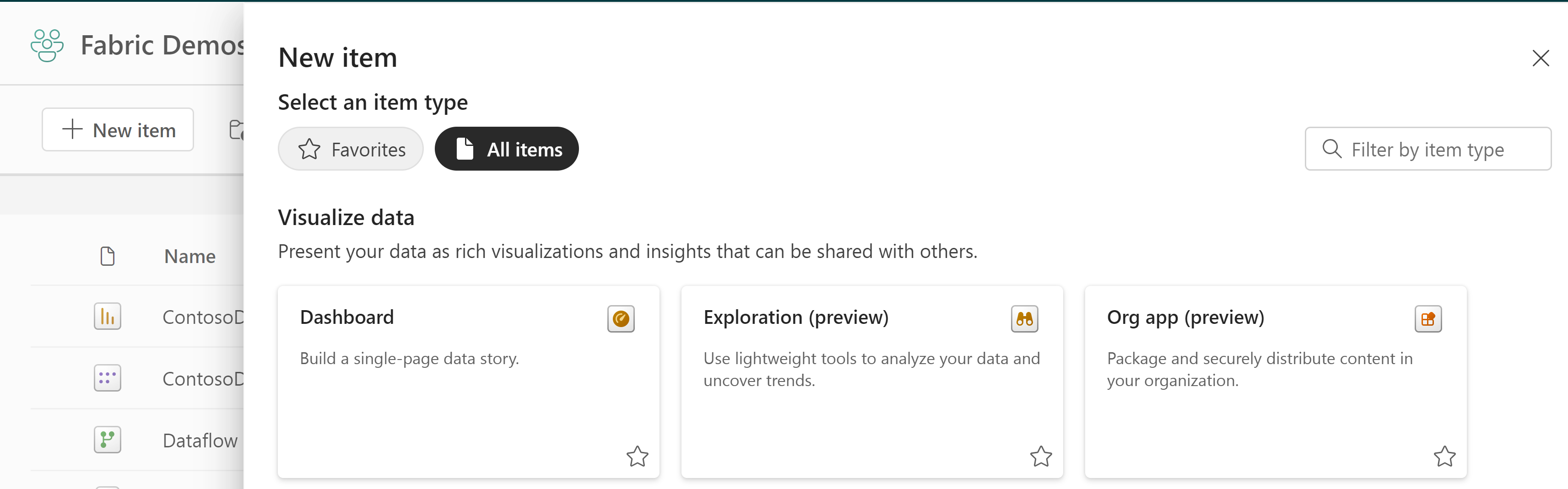
The new Organizational Apps Fabric Item which was revealed earlier this year has arrived in Public Preview.
Why is this interesting?
Because the current Workspace Apps have a number of inherent limitations. A non exhaustive list includes:
- Only one App is allowed per Workspace.
- Only Power BI Items (Reports, Dashboards, Paginated Reports) may be included.
- Limited options for cross-workspace apps.
- Limited options for customization (Limited coloring options, navigation options, Front Page/Landing Page options).
- Further technical limitations can be found here: Publish an app in Power BI – Power BI | Microsoft Learn
On the other hand, Workspace Apps have a number of features which are heavily used and depended on by organisations today:
- Audiences allow granular control of which items are displayed to which consumers.
- Removing consumers from workspaces, by relying on view access granted only through the app.
- Allows for testing changes made to Power BI Items by requiring a manual “Update App” step before changes are published to end users.
- Build permissions to included items are easily propagated, and may be combined with audiences.
The questions is whether Organizational Apps solves the outstanding issues and can replace Workspace Apps, or whether they will continue to co-exist?
Microsoft already has a great guide for getting started with using Organisational Apps: Get started with org apps (preview) – Power BI | Microsoft Learn
Instead this blog will examine how Organizational Apps deals with the challenges and opportunities mentioned above.
Sharing Fabric Content with Consumers
Creating Multiple Apps in one Workspace
Conclusion: Organizational Apps solves this issue!
An annoying limitation of the current Workspace App is as mentioned the inability to create multiple apps in one workspace.
This would be useful for situations where single workspaces are used as containers for a large number of Fabric Items, which may not be relevant to the same users.
Some may argue that Audiences solves this issue. I would counter and say that sometimes I do in fact want a completely separate artifact containing one half of my workspace contents, and another artifact containing the other, rather than creating a pseudo-split using audiences.
Luckily, this issue is easily solved by Organizational Apps, which are created as a Fabric Item, and which you may indeed create multiple of in the same workspace.
Adding items from multiple workspaces
Conclusion: Organizational Apps does not solve this issue!
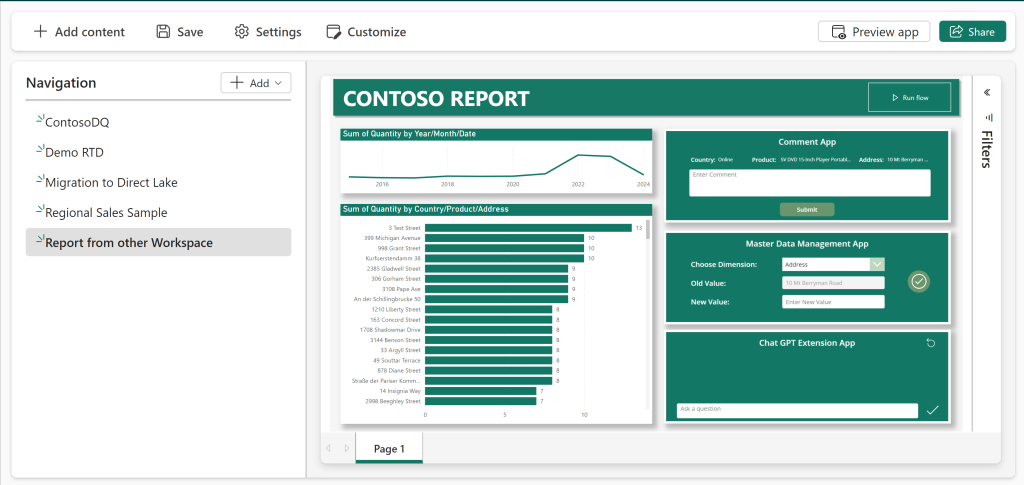
Another limitation of workspace apps, is the lack of functionality for adding content from multiple workspaces into the same App.
This would be useful especially in scenarios where Reports are spread out in multiple workspaces (eg by department or by functional domain), but somebody requires a centralized solution for viewing reports from multiple domains at once.
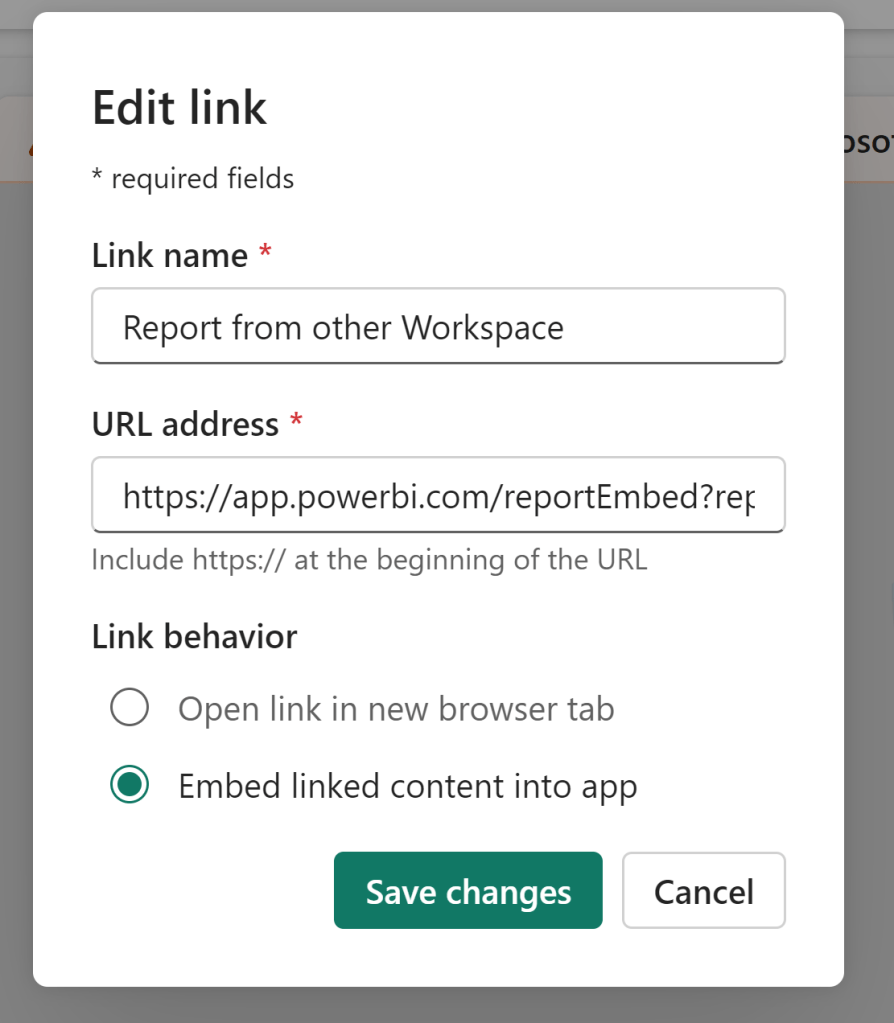
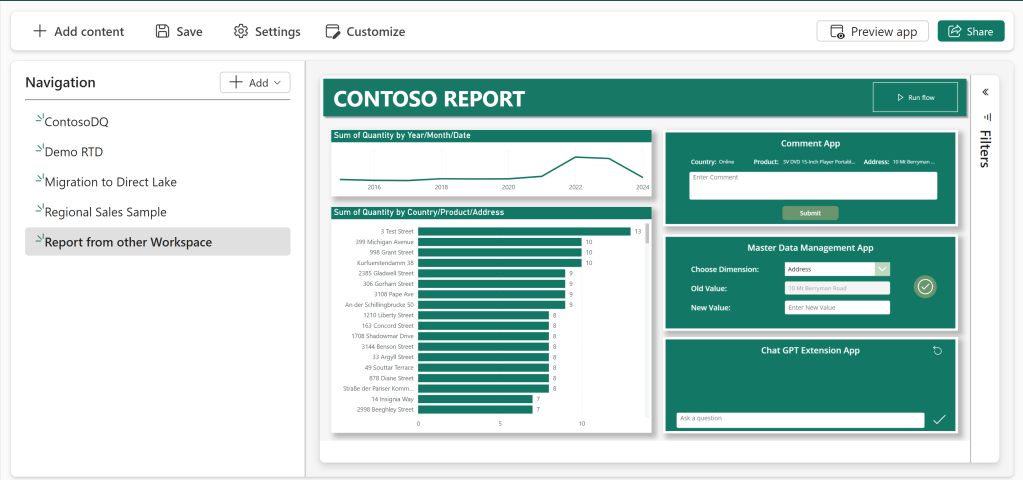
There is a janky workaround, which involves retrieving the Embed Link of a Power BI report in another workspace, and adding this as a Link in your workspace app. But this is not an ideal experience.
Unfortunately, Organizational Apps does not improve upon this process. The same janky workaround still works, but there is no easy-to-use solution for adding content from multiple workspaces.
Adding other types of Fabric Items to an organizational app
Conclusion: Organizational Apps partially solves this issue.
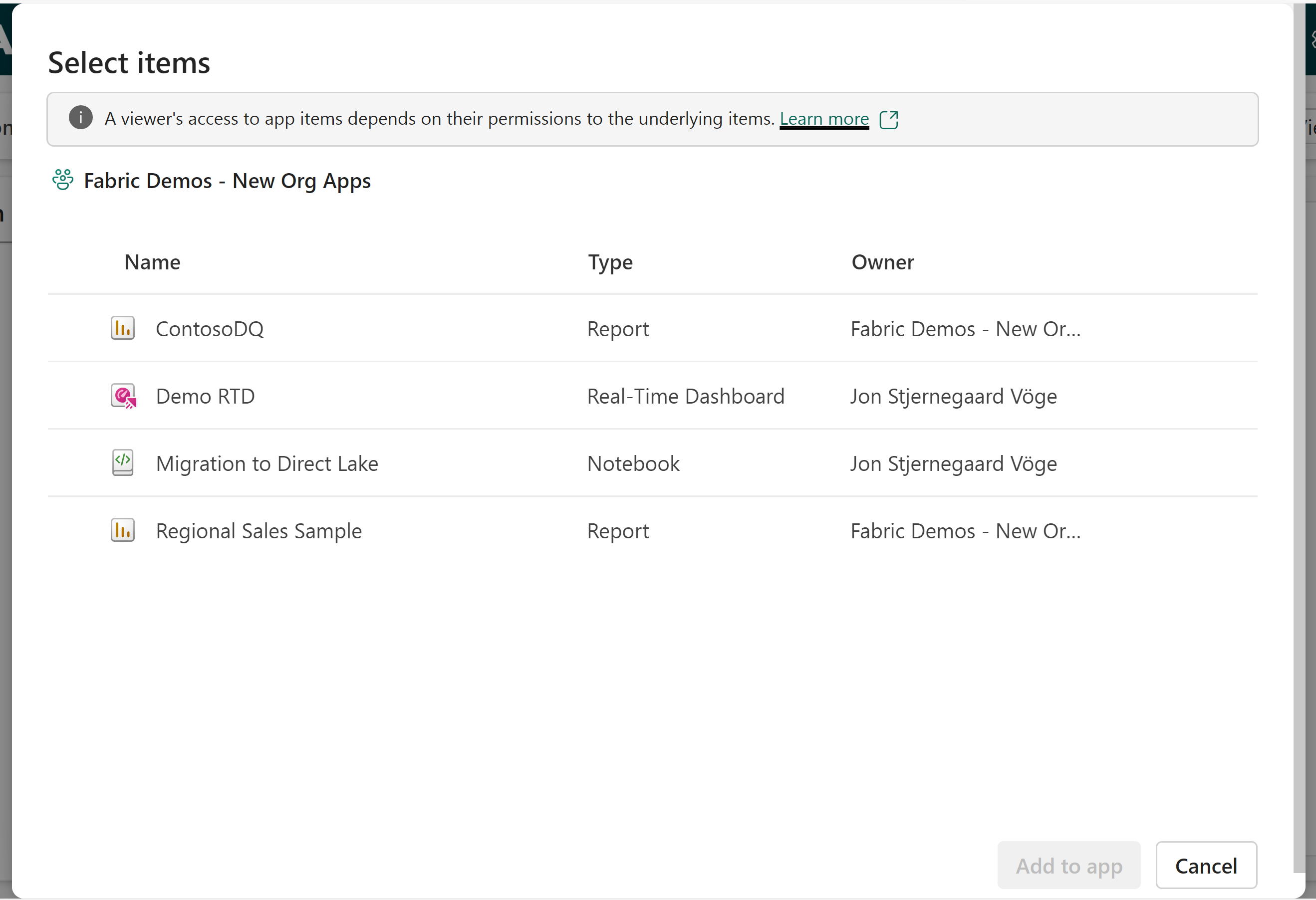
Workspace Apps allow users to share Power BI Reports, Dashboards and Paginated Reports with consumers. But with Fabric, we got a whole bunch of new items, and unfortunately all those new Fabric Items are not supported in Workspace Apps.
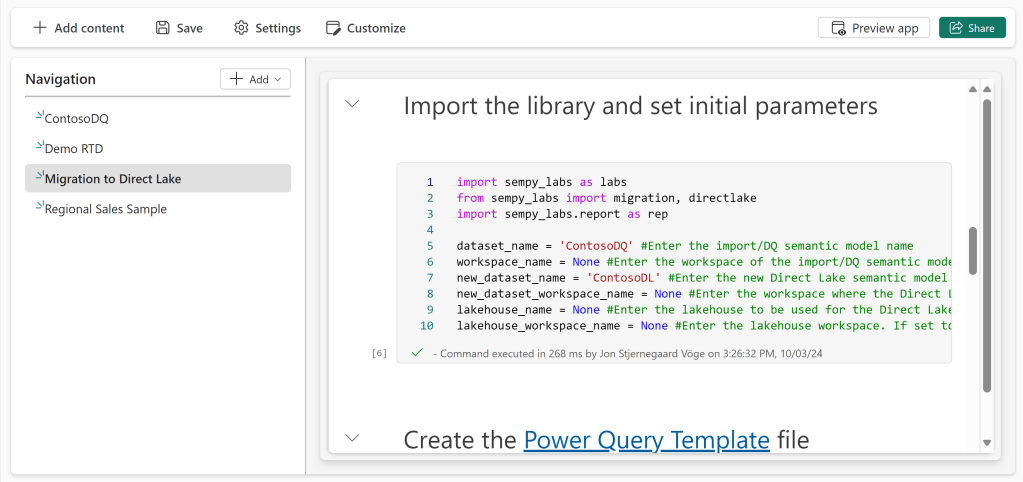
On the upside, the new Organizational Apps support Power BI Reports, and also Notebooks (huge win!) and Real Time Dashboards. However, Dashboards and Paginated Reports lost support in the process.
Overall, I think this is a two steps forward, 1 step back situation. Sharing notebooks with consumers is huge, and we can only hope that more Items will be supported in the future.
Pseudo-Test Deployment of Fabric Items
Inconclusive: Organizational Apps lacks the feature altogether.
Workspace Apps today enable a sort of “pseudo-test” deployment process, in which developers may publish changes to their Power BI items in the workspace, test the changes in the workspace, and only deploy the changes to the consumers when the workspace app is updated.
On the other hand, this leads to much confusion when developers forgets about this functionality/deployment step, and don’t know why their recent changes are not available to the end users.
The new Organizational Apps are more live, and does not require this “Update App” step. For good and bad.
It eliminates a manual and often forgotten deployment step, but we lose our pseudo-testing possibility in the process.
Permissions in Organizational Apps
Audiences to control content displayed
Conclusion: Organizational Apps does not solve this issue!
While I may not believe Audiences the solution to Multiple Apps in a workspace, I love the feature for its ability to segregate the contents of a single app into multiple streamlined experiences.
Unfortunately, the new Organizational Apps does not have an Audiences feature. You would currently have to create individual Apps for each of your Audiences as a work around. If only we could’ve had both!
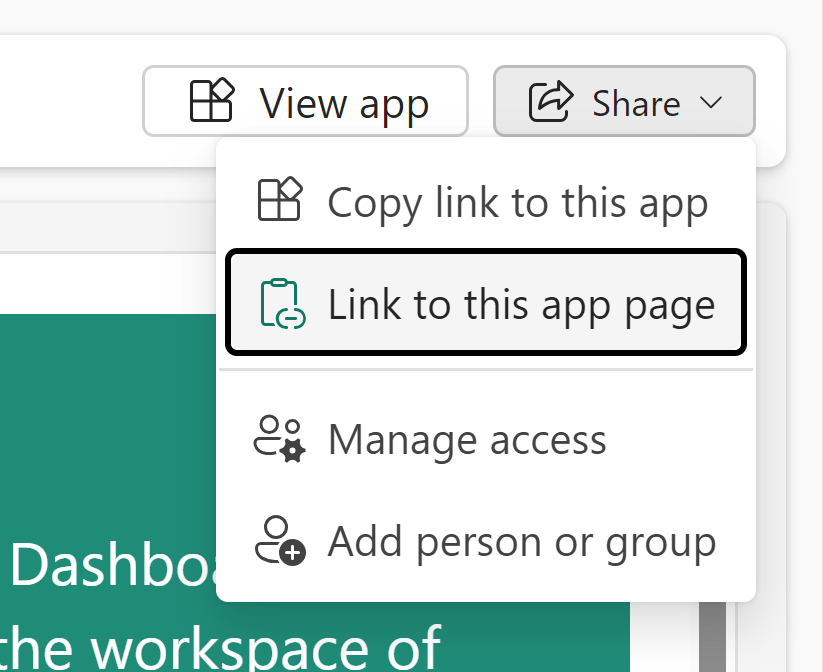
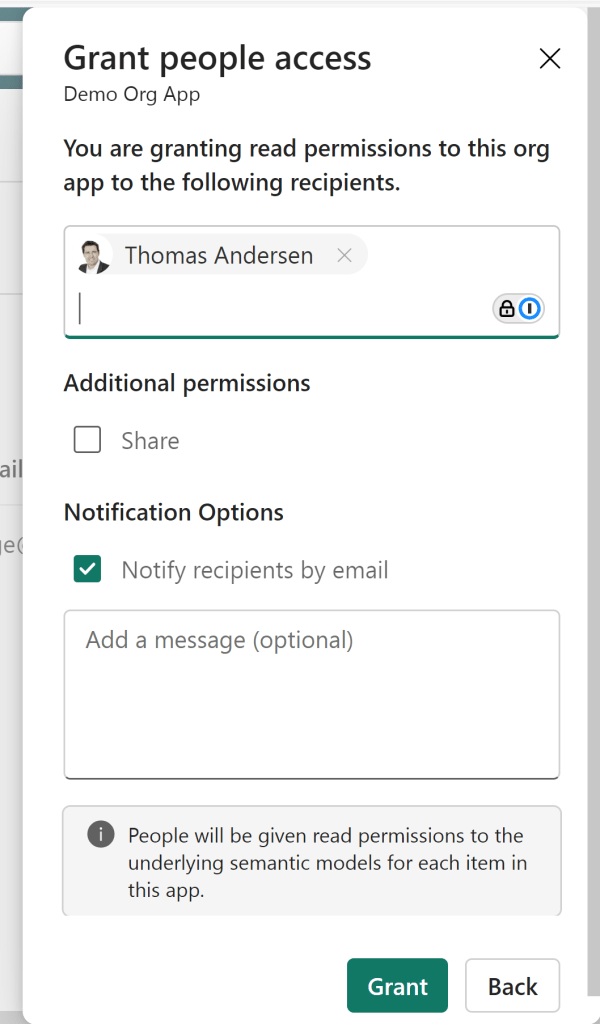
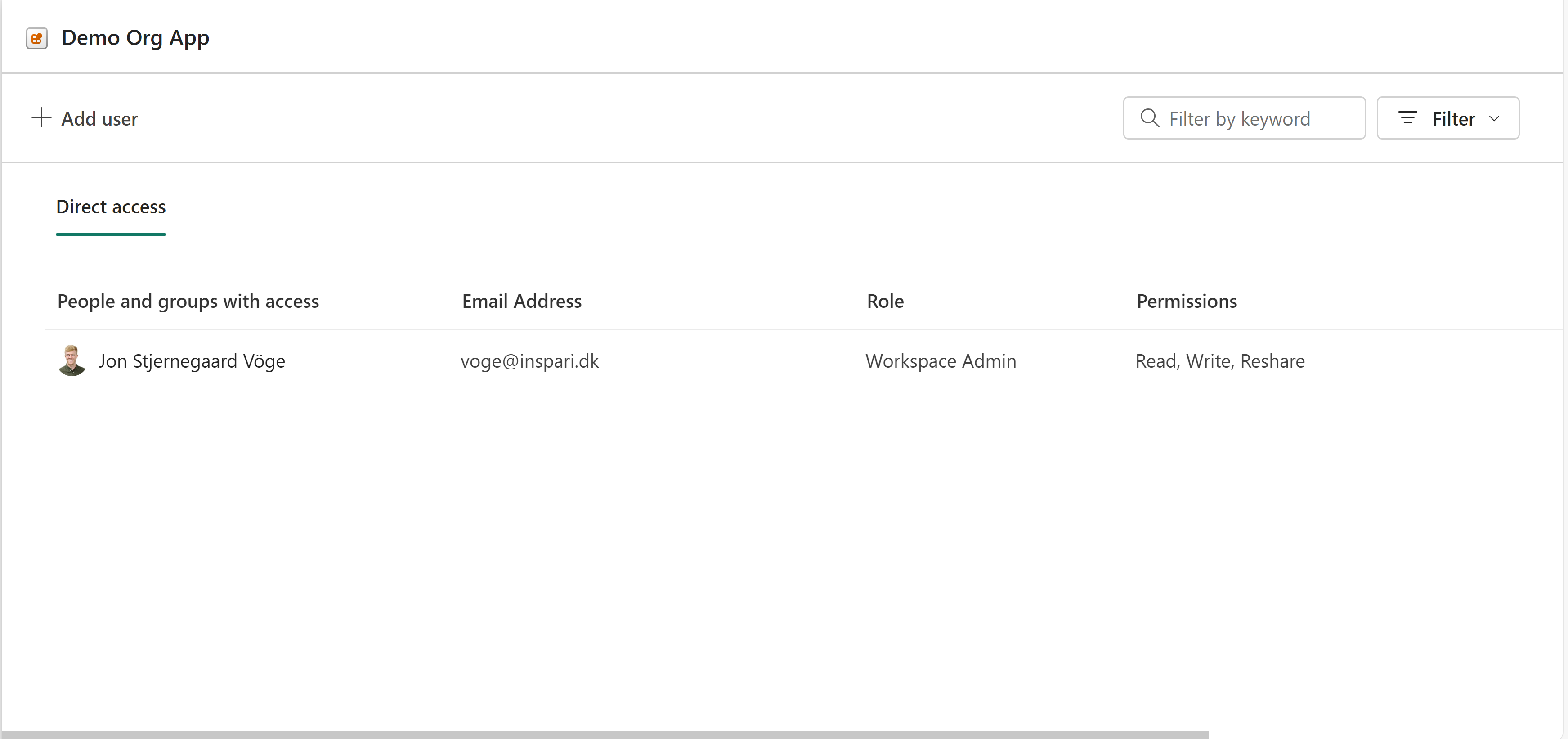
In addition, Organizational Apps are shared with users in an interface similar to all other Fabric Items:
Apps can propagate permissions
Inconclusive: Organizational Apps partially solves this.
When Workspace Apps are shared with users today, they are granted viewing permissions on the Power BI Items included for their Audience. Further, they may be granted resharing permissions, and even Build permissions on the underlying Items. The latter two which in combination with Audiences are very useful to some organisations.
The new Organizational Apps work slightly similar, in the sense that they also by default propagates view permission to items (+ underlying semantic models) when a user is added through the dialogue shown in the previous section.
Further, it is easy to provide resharing permissions with the tick of a box. However, it is no longer possible to assign Build privileges to underlying semantic models directly from the Organizational App.
Is this a win or a loss? I’m indecisive on this once, as some are able to use the option effectively, while for others it presents a security risk.
Customization of App
Creating a Home Page for End Users’ Analytical Needs
Conclusion: Organizational Apps does not solve this.
A frequent ask from end-users, is for a solution which consolidates all of their analytical needs in one place. Today, that is frequently accomplished by using Workspace Apps, but an inherent flaw is the lack of possibilities of creating a ‘welcome screen’ or home page of sorts.
This is often overcome by creating a Power BI report to act as the initial screen of the Workspace App. Perhaps even with embedded Links and Visuals to aid the user in navigating to sub-items in the Workspace App.
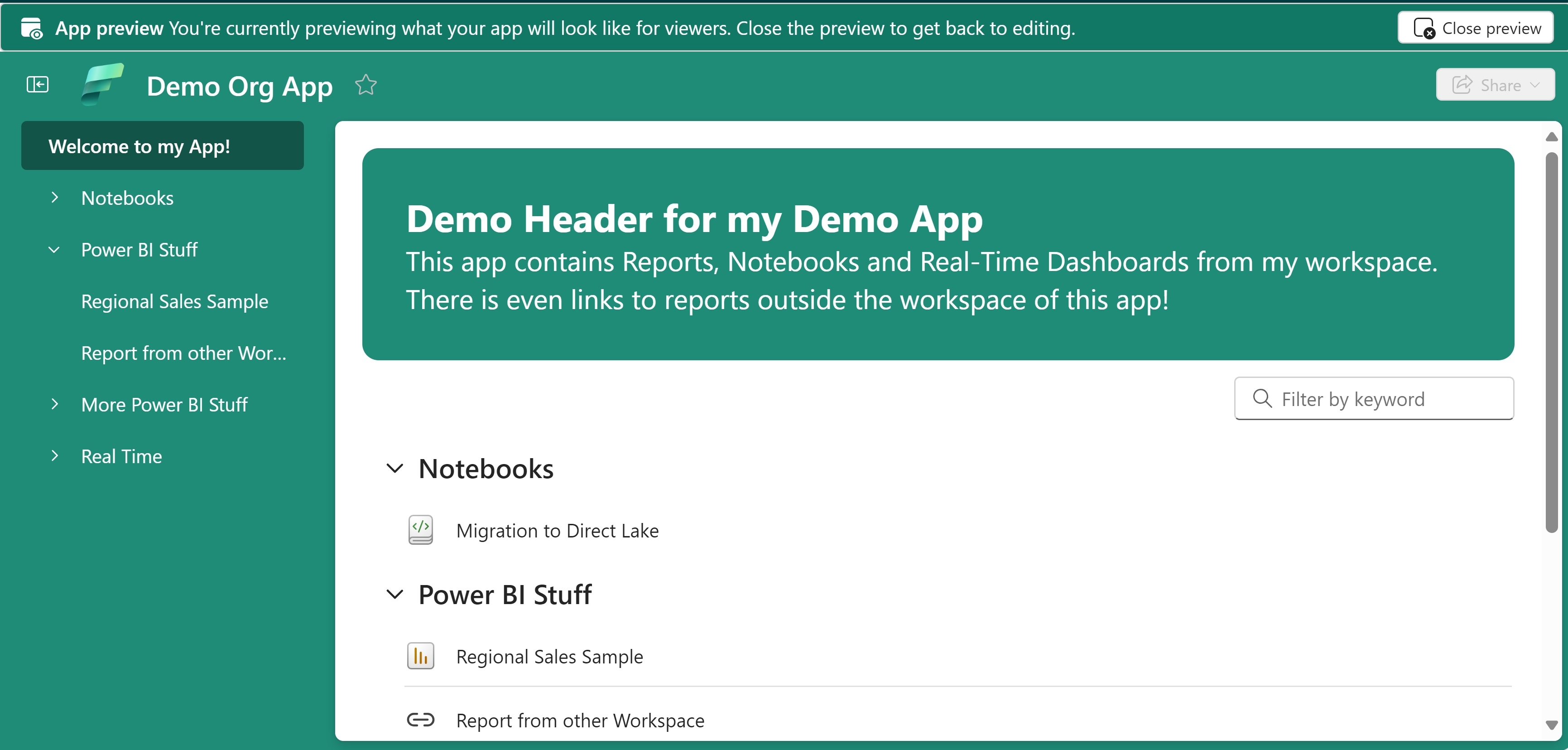
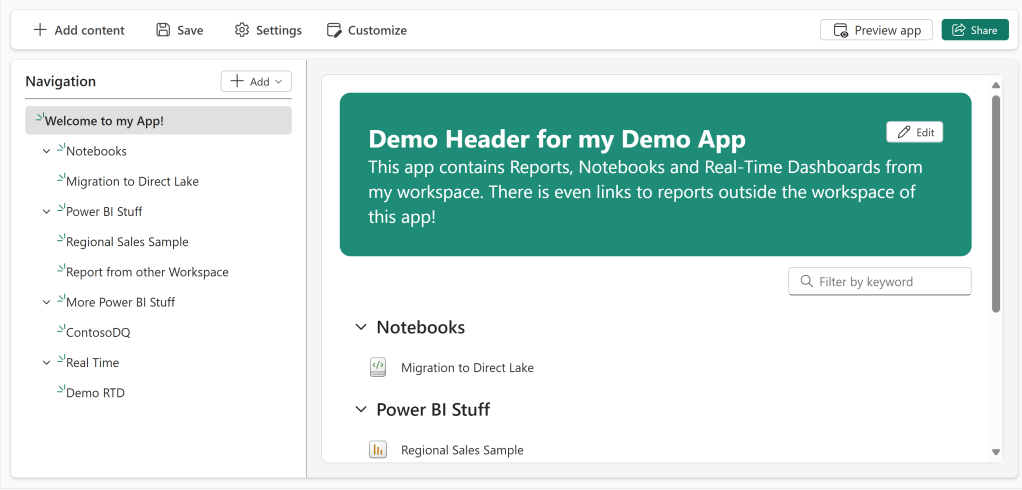
Organizational Apps provide a new alternative to these Power BI Reports, in that they allow the creating of an “Overview” object, which displays a list of all the App contents, as well as allowing for a customized Header:
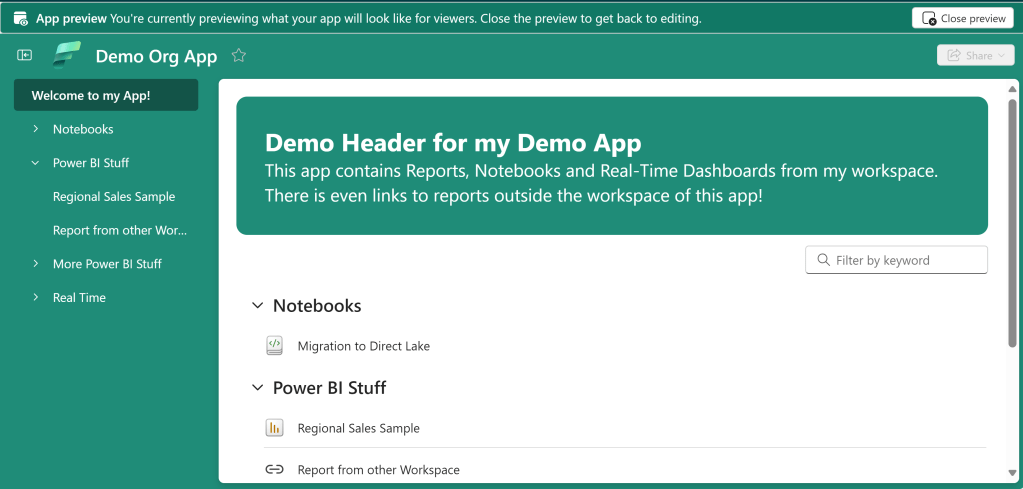
Unfortunately, there is not a lot of customization available here…
For the header, you can Choose between your App’s theme color or nothing, and add a Title + Description text. That’s it. And for the content you have zero control. It’s display all or nothing.
This Overview does solve the issue of Workspace Apps forcing users directly into the contents of the App with no welcome or anything… But the lack of customization makes me think that most App owners would still be better off building a simple Power BI shell to use as a front page.
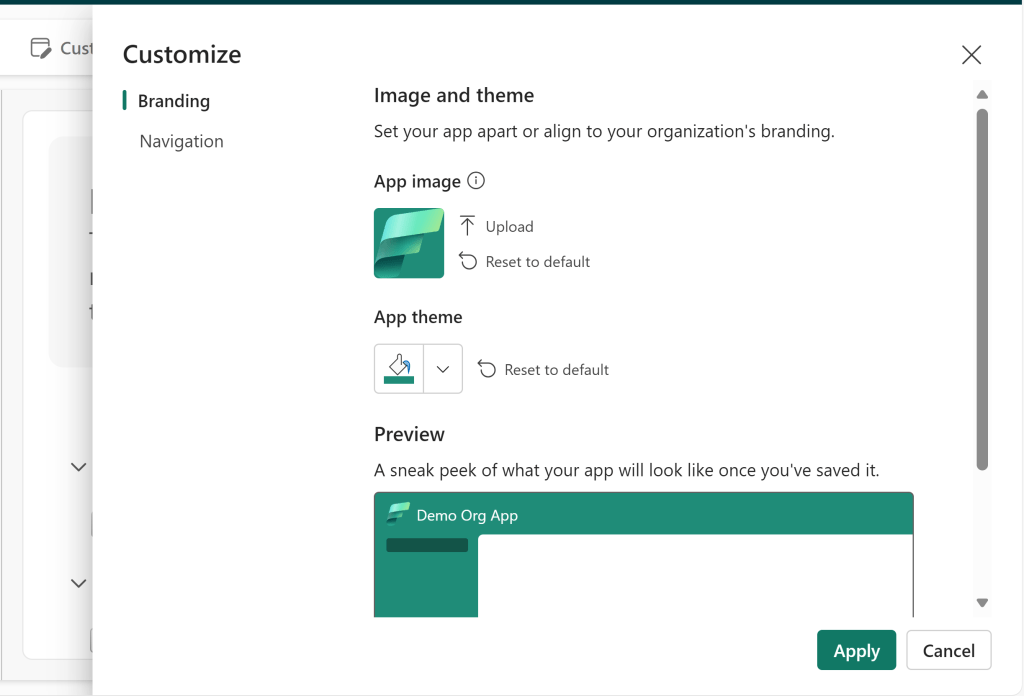
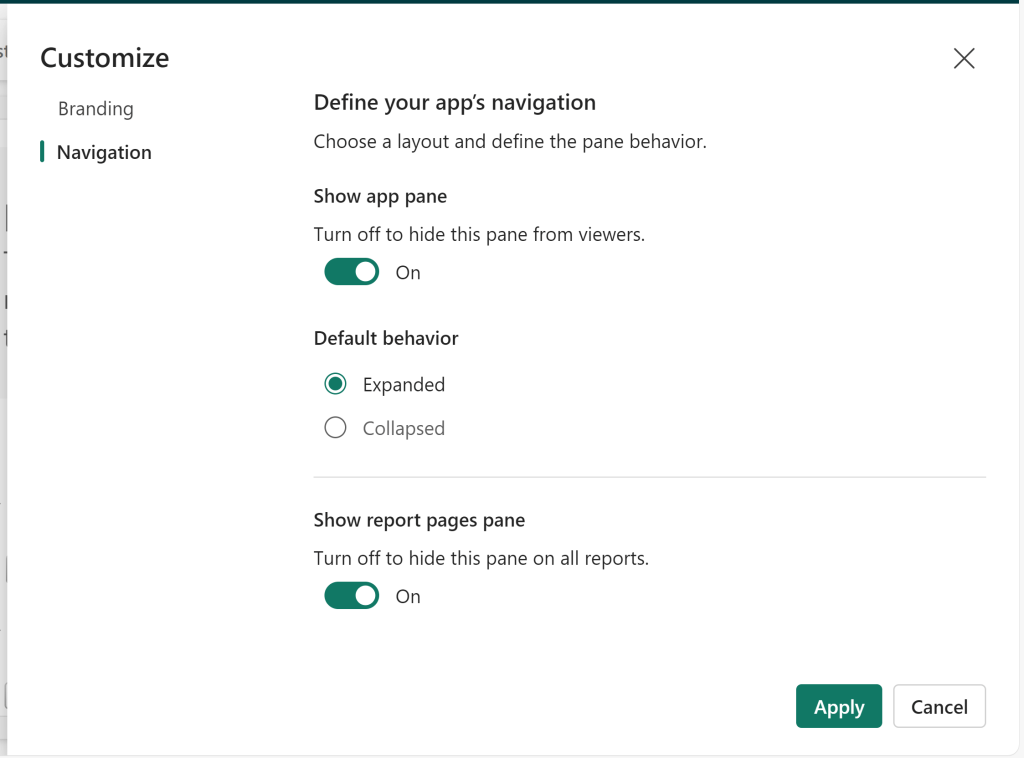
Customizing the design of your App
Conclusion: Organizational Apps offers some improvements, but less than desired.
The old Workspace Apps had a funny limitation, that while you could customize the color theme of your App, you could only choose between 12 different colors.
The new organizational Apps allows for defining a completely custom HEX or RGB color to be used, which may match with your organizational branding. Huge win.
In addition, Organizational apps retains old features in terms of showing/hiding the app navigtaion, and defining App Icons. It even includes a nifty, overlooked feature of enabling hiding the default Page Navigation of Power BI reports included in the app!
Where the new apps may fall slightly short, is in its Section / Content Divider customization. While it is possible to create sections, it is not possible to nest them and create hierarchies that go more than one level deep.
Final Remarks
The new Organizational Apps are on many levels a step in the right direction, allowing us to create consumer solutions that includes multiple different fabric items. And creating multiple of them in one workspace.
However, the lack of some of the Workspace App functionality (*cough* Audiences *cough*), and only small improvements on some of the UI/UX stuff, makes it hard to see Organizational Apps replace Workspace Apps.
Rather, in its current shape they simply provide a new solution to the line up of options for presenting items to end-users, which may co-exist with Workspace Apps until more features are hopefully added in the future.



 Downhill Data
Leave a comment