-
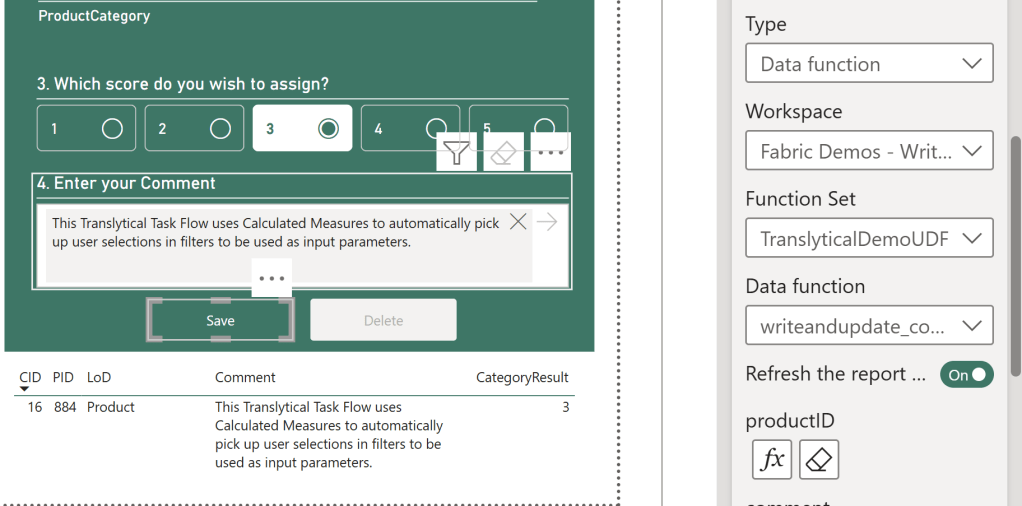
Introduction A common misconception about Translytical Task Flows is that the only way for you to parameterize and pass user inputs to the User Data Function, is through Slicers in Power BI. That is not true at all. In fact, one of the most powerful ways of integrating Task Flows into your Power BI reports,…
-

Introduction When building Translytical Task Flows for Power BI / Fabric, you’ll quickly come head to head with a few limitations: While the first two certainly limits some use cases, I’m personally more annoyed by the UX limitations imposed by the third issue. If we only use these new preview slicers, we have no way…
-
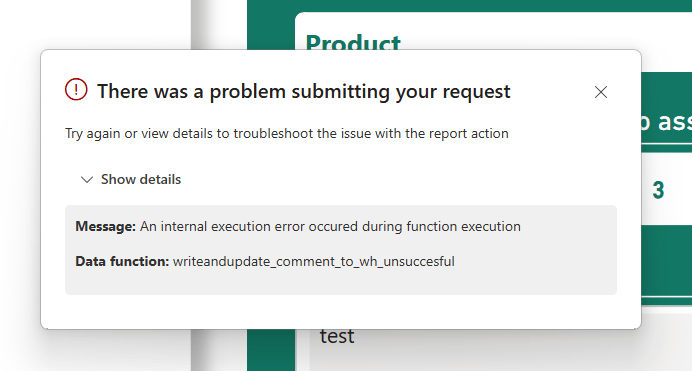
Introduction In my pursuit of testing out Translytical Task Flows and User Data Functions as a write-back alternative to Power Apps, I’ve come to spent a good amount of time trying to debug those features as well. Especially since they have a tendency to throw pretty non-descriptive error messages your way. For this week’s blog…
-
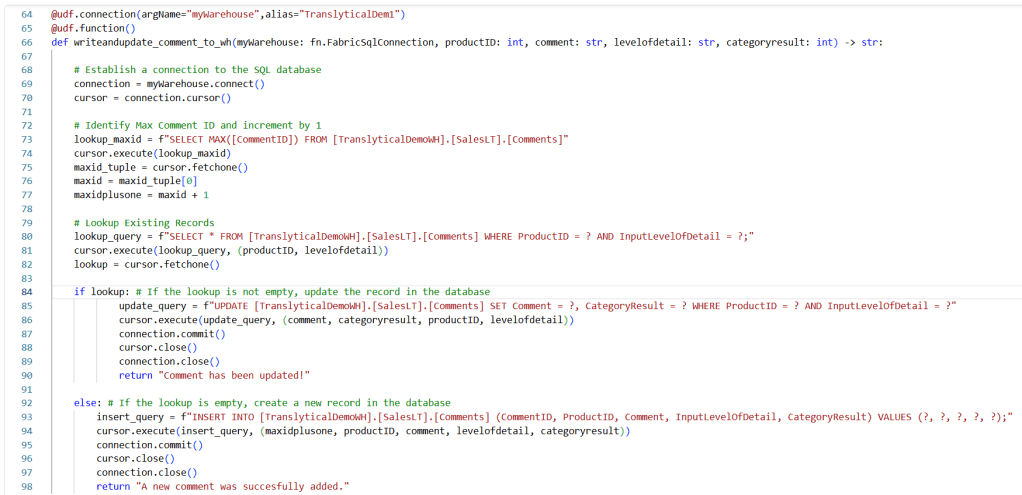
Introduction In a previous blog we covered how to perform write-back to SQL Databases in Fabric with Translytical Task Flows: Guide: Native Power BI Write-Back in Fabric with Translytical Task Flows (How to build a Comment/Annotation solution for Power BI) – Downhill Data In that article, we took advantage of some of the built-in sample…
-
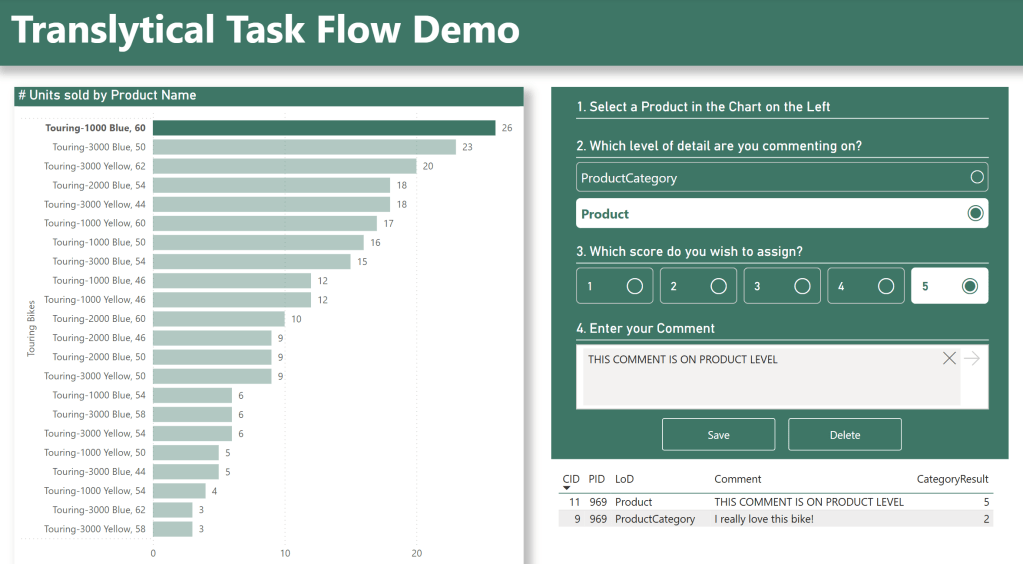
Introduction This blog has previously covered the basics of native Microsoft Fabric / Power BI write-back with Translytical Task Flows. In my first post on the subject, we created a simple Comment/Annotation solution, allowing the user to input free text comments on Data Points directly in Power BI. However, Translytical Task Flows do not only…
-
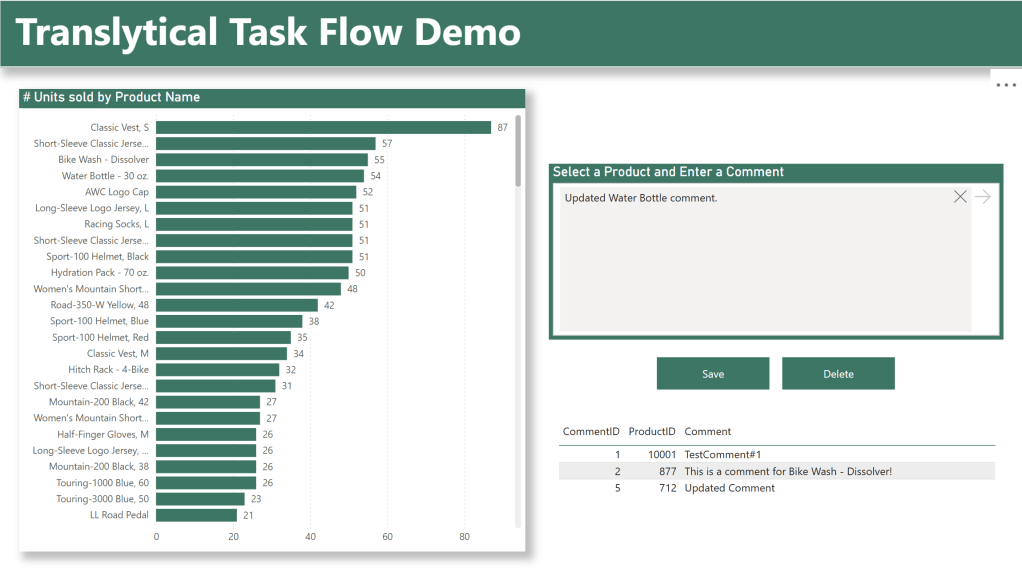
Introduction Three years ago, write-back to Power BI was my gateway into the Power BI community. Power Apps embedded into Power BI, enabling write-back to Sharepoint, Azure SQL and Fabric, and sharing those solutions with the community, have always been some of the most fun I’ve had with “work”. However. While Power Apps are relatively…
-
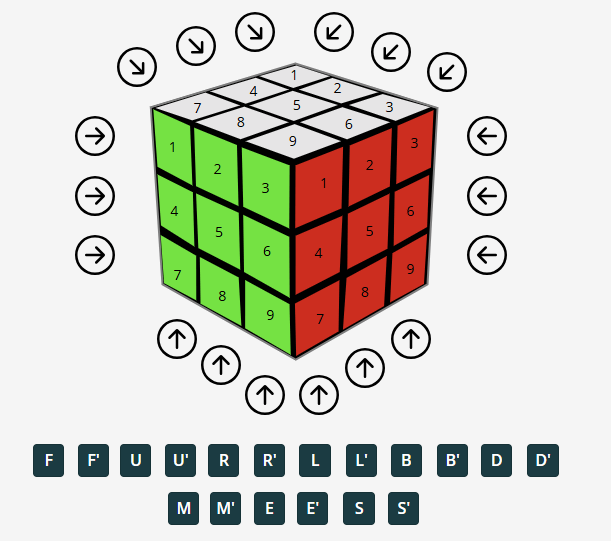
Recently, I was tasked with coming up with something fun for an internal “Power Hour” event, at the end of our annual Strategy Day at my employer Inspari. While I usually keep my darkest secrets to myself, I have occasionally revealed my teenage Rubik’s Cube mania. Either when forced to come up with “Fun Facts”…
-

Introduction Microsoft Fabric encourages a broader audience of people to collaborate on the same platform than what we are used to. Backend Developers, Frontend Developers and End Users are all logging in to the same website, and the lines dividing where each role starts and stops are more blurred than ever. A topic which seems…
-
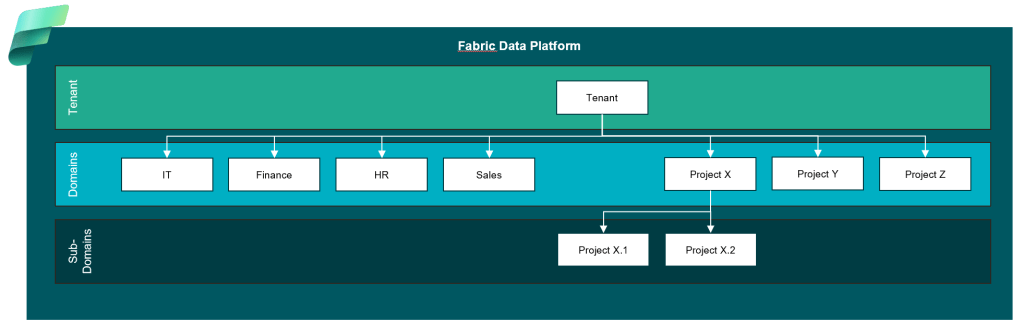
Introduction Microsoft Fabric encourages a broader audience of people to collaborate on the same platform than what we are used to. Backend Developers, Frontend Developers and End Users are all logging in to the same website, and the lines dividing where each role starts and stops are more blurred than ever. A topic which seems…
-

Introduction So your old Power BI Premium Capacity has run/is running out, and your organization is acquiring a new Fabric Capacity to replace it. Perhaps the organization even decided to take the chance to move the capacity region to something a little closer to home? If you find yourself in this situation, how do you…
-
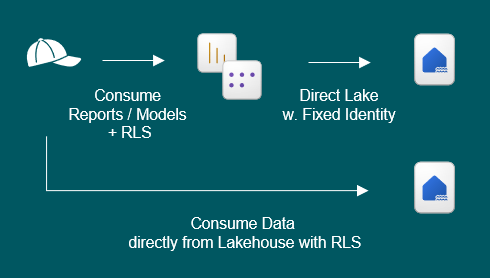
The Scenario Consider the following scenario: Where should you grant users permissions and access in Fabric? Do you give them Workspace Access? Item Access? Something third entirely? The following are questions I hear people ask from time to time, which relate to one or more of the above bullets: I hear many people confused about…
-

Almost exactly one year ago, I took a leap outside the comfortable boundaries of LinkedIn, and launched my blog http://www.downhill-data.com. Back then, I hoped to achieve a few things: I figured a small review, and a look at the numbers behind my blog, might encourage (or discourage) others to do the same. The Numbers Since…

Hi, I’m Jon.
I blog about Microsoft Fabric, Power BI, Power Apps & Power Automate, and speak at conferences about data, business intelligence and data driven decision making.
Subscribe below to avoid missing out on the latest guides and articles!

 Downhill Data