-

Introduction 2024 saw the birth of Fabric Symposium. A community driven Microsoft Fabric focused data conference, based on an idea that had been living rent-free in my head for much of 2023, until I finally put in the effort to make it a reality in 2024. I thought the turn of the year, with our…
-

This week, to round off the year, we try something different. I wanted to throw a shout out to all the community heroes out there, who also help make the most of Microsoft Fabric, through the use of Microsoft Power Platform (and vice versa). Also, I wanted to highlight some of their contributions, and hopefully…
-

Introduction I have written at length about how to create Power Apps embedded in Power BI / Fabric, applying write-back capabilities, and making the most of the integration: However, recently I was faced with a challenge I had not seen before: A simple comment App embedded in Power BI was supposed to show all the…
-
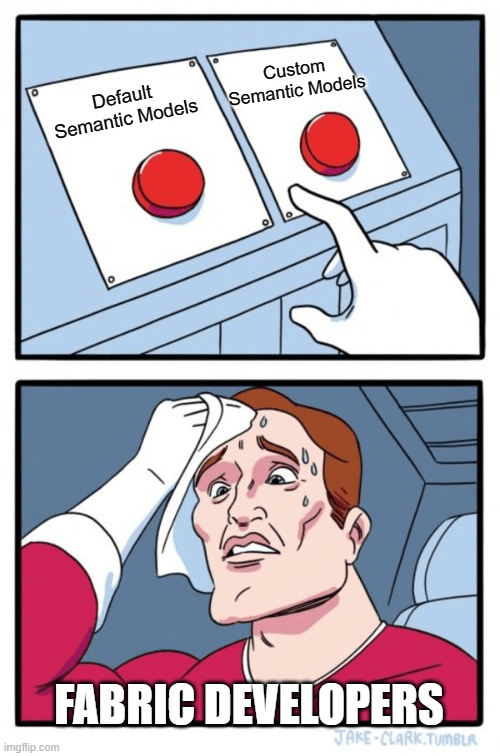
Introduction In Microsoft Fabric, whenever we create a new Lakehouse or Warehouse, a Default Semantic Model is created. However, we can also choose to create a Custom Semantic Model on top of our Lakehouses and Warehouses. A dual-concept which is confusing to many. This blog will try to explain: The TL;DR of this blog: It’s…
-
Do you want to share Power BI Reports with End Users through an app, but hide the Page Navigation of the report? This is especially useful if you have built-in navigation using Buttons, Sidebars or other menus in your report. Luckily, there is a quick solution. Well, two solutions actually, depending on whether you are…
-
I took the beta exam for the DP-700 Fabric Data Engineer Associate certification last week, and while I don’t know the results yet, I figured I would share my thoughts on studying for the exam, and a few notes on the topics included on the questions I received. If you want to schedule the exam,…
-

Introduction The new SQL Database item in Microsoft Fabric, just announced at Ignite last week, puts a new spin on my long journey of enabling write-back for Power BI reports powered by a Microsoft Fabric backend. Until the ‘Translytical Apps’ which were also teased at Ignite becomes a public thing (Video of sneak peek), using…
-

Default Data Destinations for Dataflows Ever had a Dataflow Gen2 in which you needed to map the output of several queries to the same Warehouse or Lakehouse? Takes a while to setup, right? If you wish to add a Default Destination to your Dataflow, all you need to do is to create the Dataflow from…
-
Introduction If you are looking for an easy to set up solution to monitor events in one or more Fabric Workspaces that you are responsible for, you can look into using Data Activator / Reflexes with the built-in Workspace Item Events data stream. In this blog we will explore how to connect and use this…
-
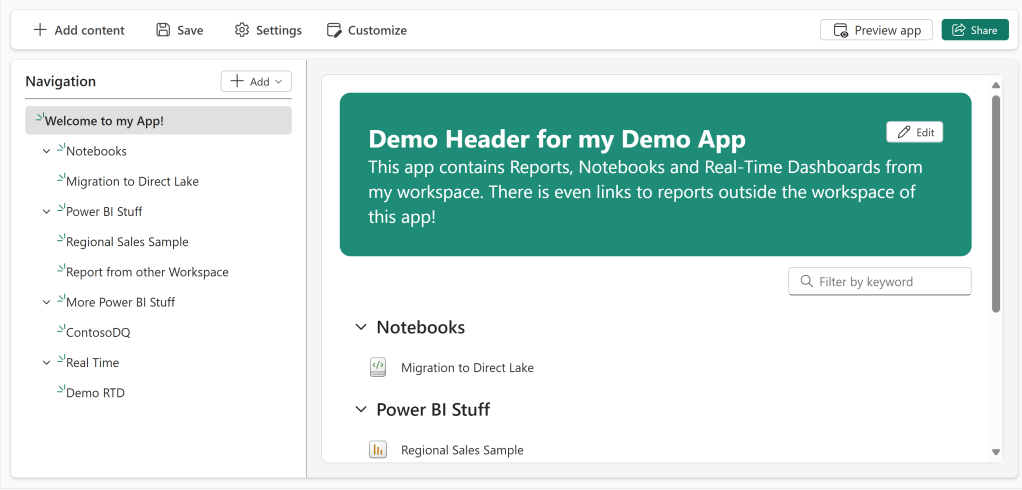
Introduction The new Organizational Apps Fabric Item which was revealed earlier this year has arrived in Public Preview. Why is this interesting? Because the current Workspace Apps have a number of inherent limitations. A non exhaustive list includes: On the other hand, Workspace Apps have a number of features which are heavily used and depended…
-
The simplest Version Control setup possible for Power BI: Sharepoint/OneDrive + automatic publishing

Introduction This blog has previously covered the great GIT Integration that has been made available for Fabric Workspaces, and its power in combination with Deployment Pipelines for proper Content Lifecycle Management: Simple Version Control in Fabric / Power BI with GIT Integration – a beginner’s guide – Downhill Data (downhill-data.com) Suggested architecture for collaborative Power…
-
Fabric Capacity Consumption: Can you run Eventstreams and Data Activator on small Fabric Capacities?
Introduction Often I hear that people are worried about the costs associated with Real Time Intelligence in Fabric. For Eventstreams, I was able to find decent documentation stating the Capacity Unit consumption. However, I personally thought it would be nice with a bit more of a practical example. Hence, I decided to do a small…

Hi, I’m Jon.
I blog about Microsoft Fabric, Power BI, Power Apps & Power Automate, and speak at conferences about data, business intelligence and data driven decision making.
Subscribe below to avoid missing out on the latest guides and articles!

 Downhill Data