Power BI
-

Introduction Power BI Reports on TV Screens are a work of art. They need to be curated with extra care, as interaction between user and report is (usually) not possible or very limited. Further, in terms of technicalities, the report needs to be displayed with as few distractions as possible, and it needs a way…
-
Introduction Data write-back is a topic dear to me, and you may have come across one of my other articles on the subject: Guide: Add Write-Back to Power BI reports with Power Apps – Part 2: Display write-back data LIVE in Power BI reports – Downhill Data (downhill-data.com) With the announcement of Microsoft Fabric, one…
-
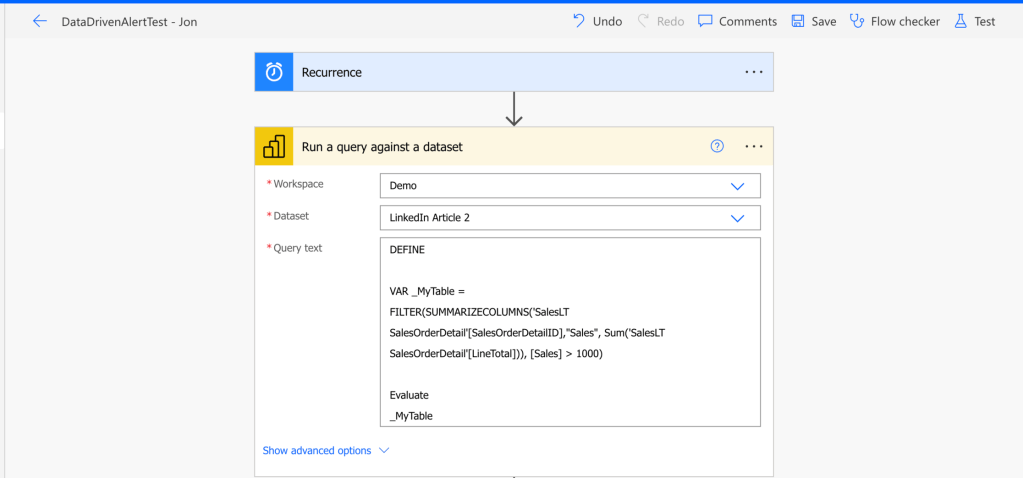
Introduction If you have tried setting up alerts in the Power BI Service, you have most likely encountered a couple of annoying limitations: Data Activator in Fabric works pretty great, but is best done on streaming data and requires a Fabric Capacity to use. So what do you do, if you are working with Power…
-
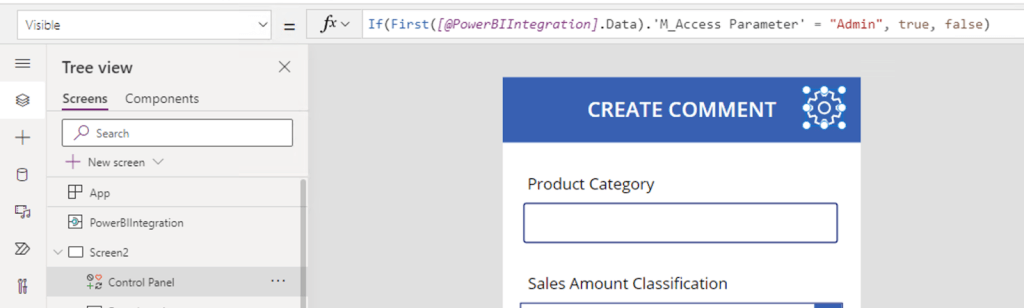
Introduction I have blogged at length about the integrations between Power BI and Power Apps. I’ve shown how to get started with creating and embedding a basic Power App in a Power BI report for data write-back. Find the article here: https://downhill-data.com/2024/02/09/power-bi-write-back-part1/ We’ve covered how to display the write-back data live in Power BI with…
-

Introduction Working with API data is often a task reserved for pro-coders. But in Microsoft Fabric, we can leverage the low-code Dataflows Gen2 to connect to any API and output the data to our Fabric Data Lakehouse or Data Warehouse. The article below takes you through the entire process, step by step, of connecting to…
-
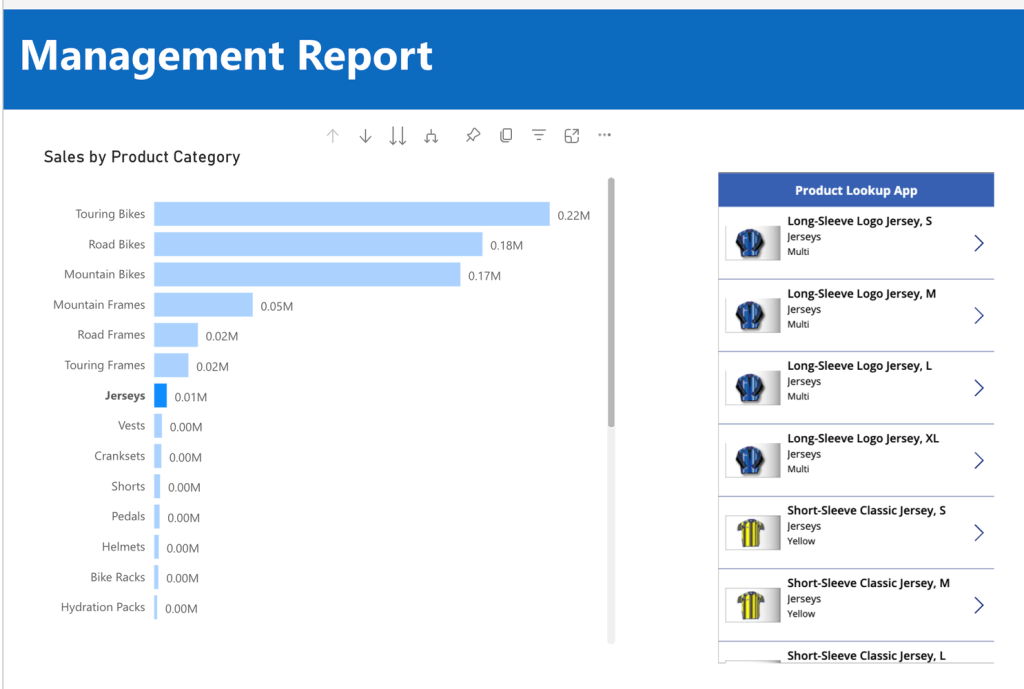
Introduction If you have ready some of my previous articles, you know that I find Power Apps embedded in Power BI reports absolutely fascinating. You can easily write data back to your sources (Link), create LookUp extensions and generally enhance the functionality of your reports (Link). One gripe I’ve always had however, is that all…
-

Introduction The past two weeks, this blog has outlined how: This week, we will look at completing the Application Lifecycle Management of those solutions, by building on top of the GIT Integrated Workspaces with the built-in Deployment Pipelines. The benefits of leveraging Deployment Pipelines are many, including: Setting up TEST, PROD and the Deployment Pipeline…
-

Introduction Developing on Microsoft Power BI / Microsoft Fabric is adopting more and more engineering practices. Modern data teams find themselves looking towards solutions for collaborative development, version control and lifecycle management solutions. The GIT integration feature introduced to workspaces in Power BI / Fabric patches up many of the holes, and in combination with…
-

Introduction One thing that has always annoyed me about the Power BI service, is the lack of a certain feature. A feature which exists in countless other Microsoft cloud offerings: Built in Version History. However, with Microsoft Fabric came also the GIT integration for workspaces, which allows for connecting a workspace to an Azure DevOps…
-

Introduction I have written about accessing Dataverse Data from Microsoft Fabric, outlining how it is possible using: But what if we wanted to go the other way around? What if we wanted to use data stored in OneLake as part of a Power Platform Solution? There are several potential solutions to this, and this article…
 Downhill Data