Introduction
Last week I blogged about sharing Semantic Models in Fabric / Power BI with external users, and also teased that semantic models are not the only type of object that we can share with externals.
This week, we look at how you may invite guest users directly into your Lakehouses (and also KQL databases, but fewer people are using those) in Microsoft Fabric, and allow them to access it from their own Fabric tenant.
Microsoft calls this functionality as creating an ‘external data share’, and works by creating a shortcut to your OneLake data in the recipient’s tenant. No data is being copied as you know it from any other Fabric/OneLake shortcut, and data is shared ‘in-place’ as a read-only copy.
This blog will show you the necessary Admin Settings you need to toggle on (yes, we have a few of those again this week), and show you step by step how the sharing and receiving process actually works.
Setting up the settings
To get started sharing data externally, you need to either be or befriend your Fabric Administrator, and find your way to the Admin Settings in the service.
In here, search for External Data, and toggle the below two options ‘On’ for the people in the organisation who should be allowed to use it:
- “External Data Sharing”
- Users can accept external data shares


Sharing the Shares
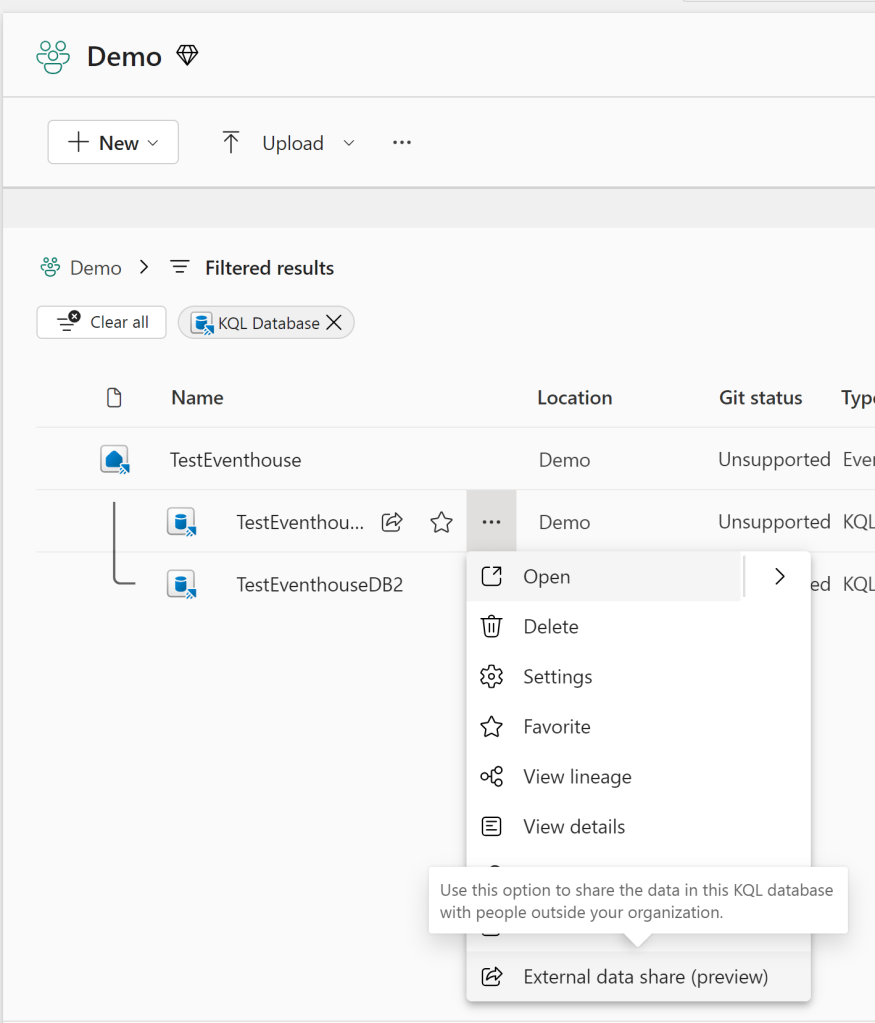
In order to share either a Lakehouse or KQL Database, navigate to the item in your Workspace, and find the External Data Share option:
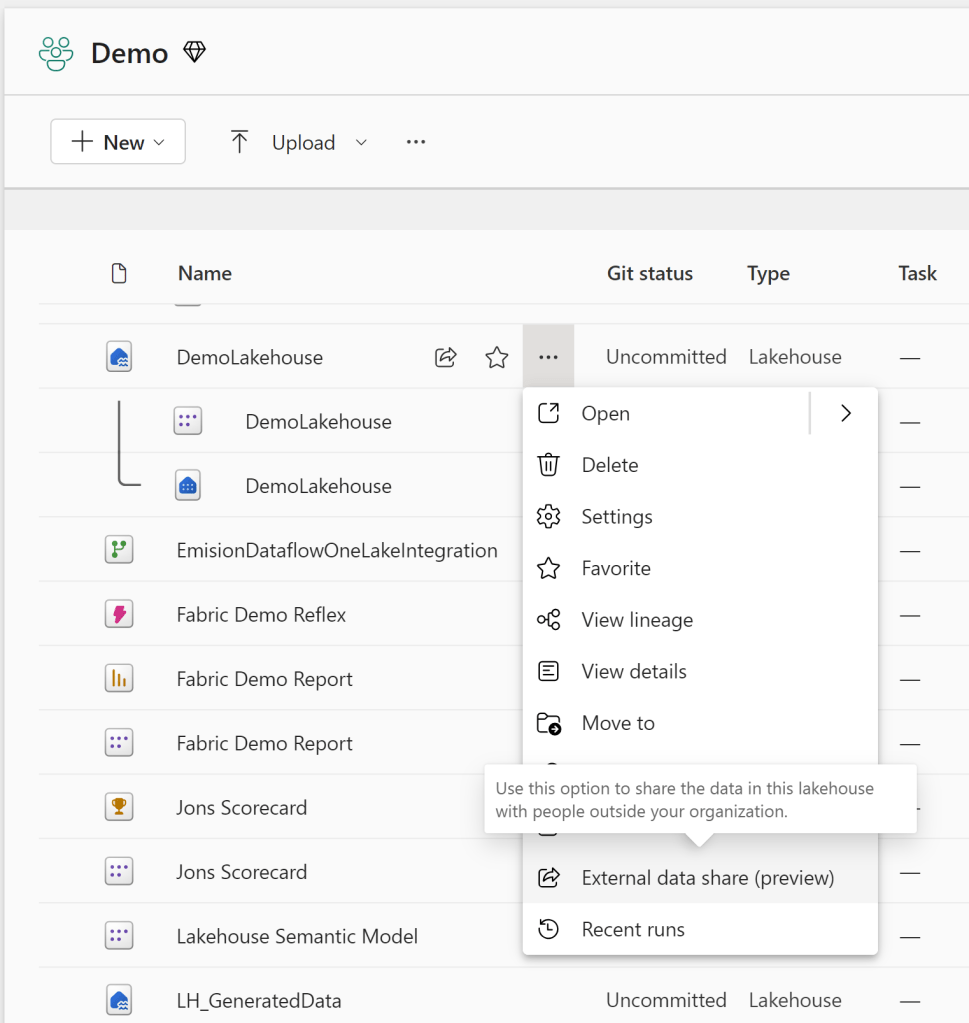
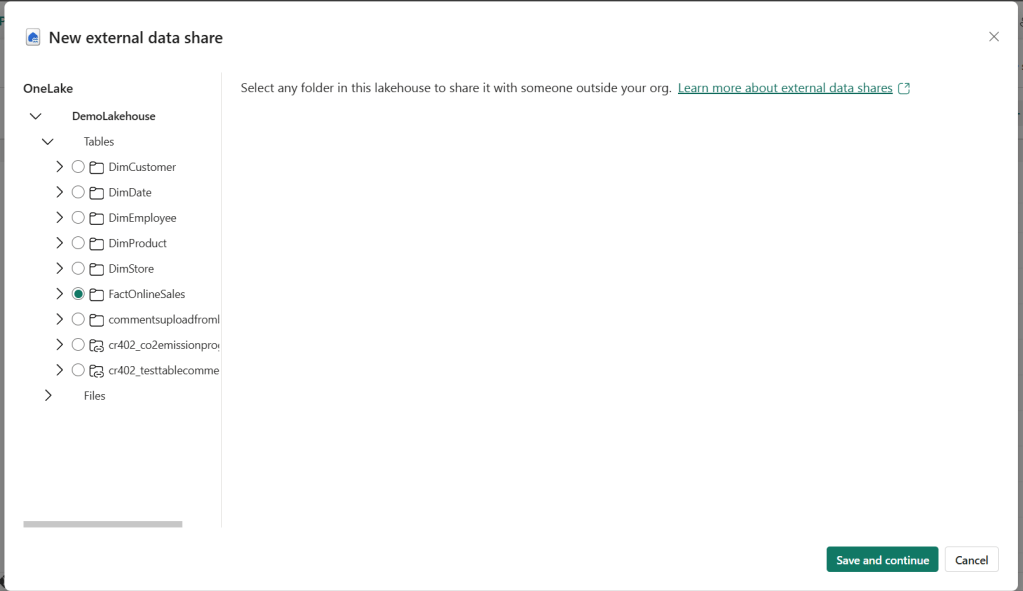
Sharing currently takes place one folder at a time, so select the folder you wish to share.
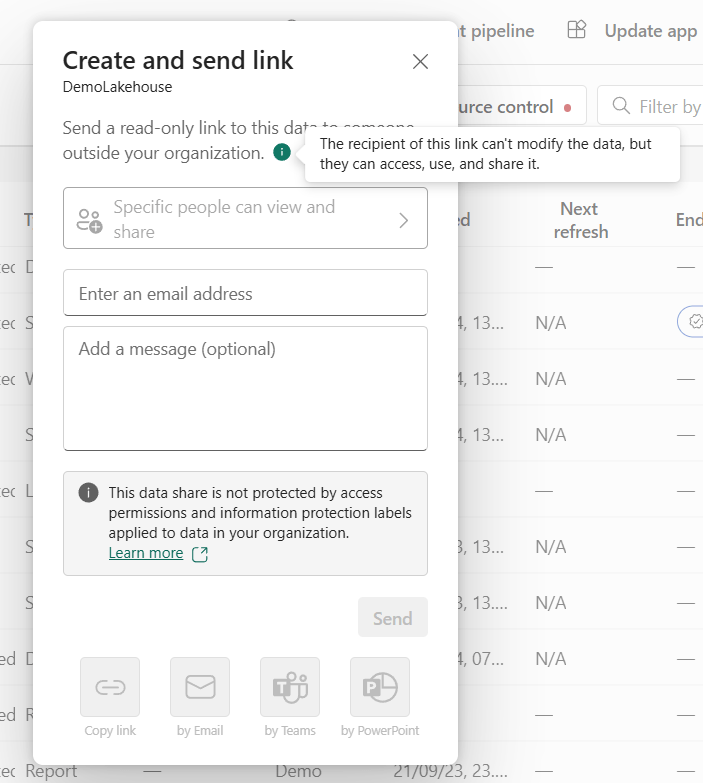
Clicking “Save and Continue” prompt the the Sharing dialogue, which includes several important pieces of information:
- The recipient can’t modify the data, but they can access use and share it.
- Any access permissions applied in your tenant, does not apply in the recipient tenant. The recipient gets access to all the data in the folder you have selected.
And that is actually all there is to it on the sender side of things!
Receiving the Receive
On the receiver side of things, your recipients should now be receiving an email:

Clicking the link in the email, allows the recipient to accept the data share, and point to an existing location in which a Shortcut to your data should be created. Again, no data is being replicated here. Its all a reference.
Do note however, that you will consume Capacity Units on both the receiving and sharing Fabric Capacities in the process:
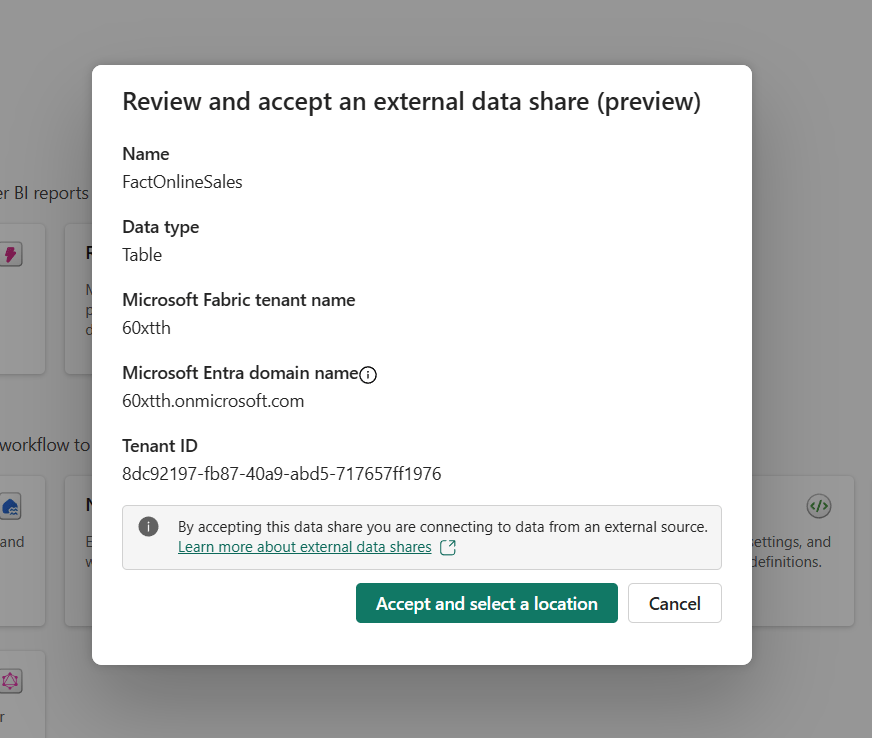
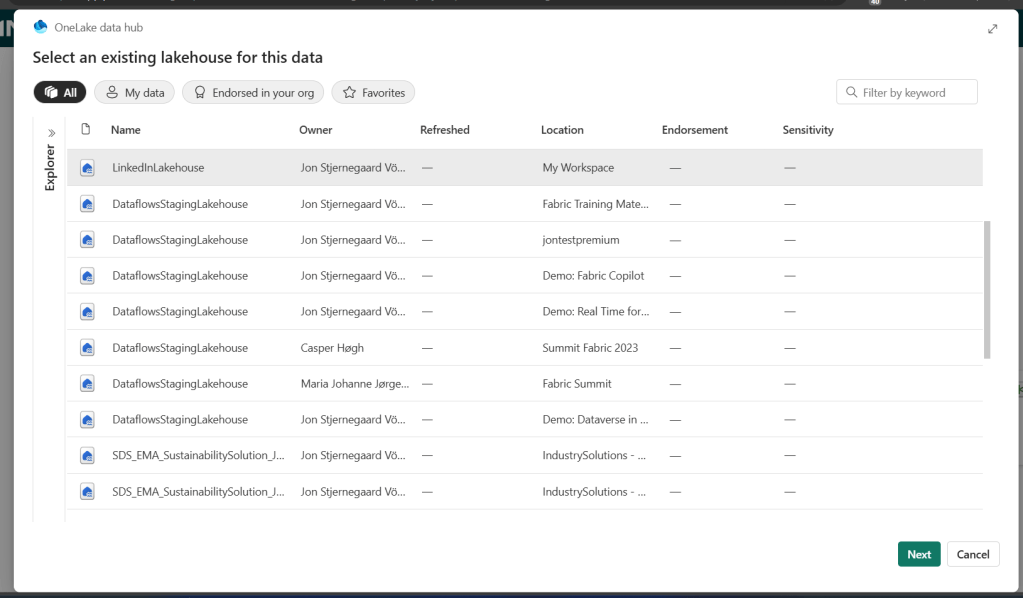
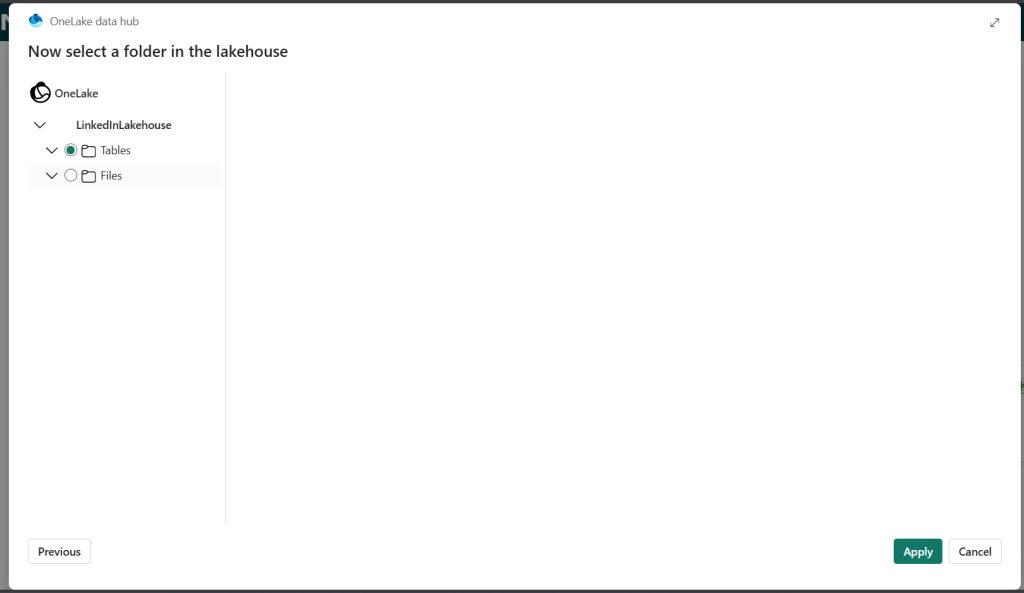
After accepting the data share, the Shortcut will do a quick load, and you are now able to read data from the original tenant, while inside the recipient’s tenant. How cool is that?!
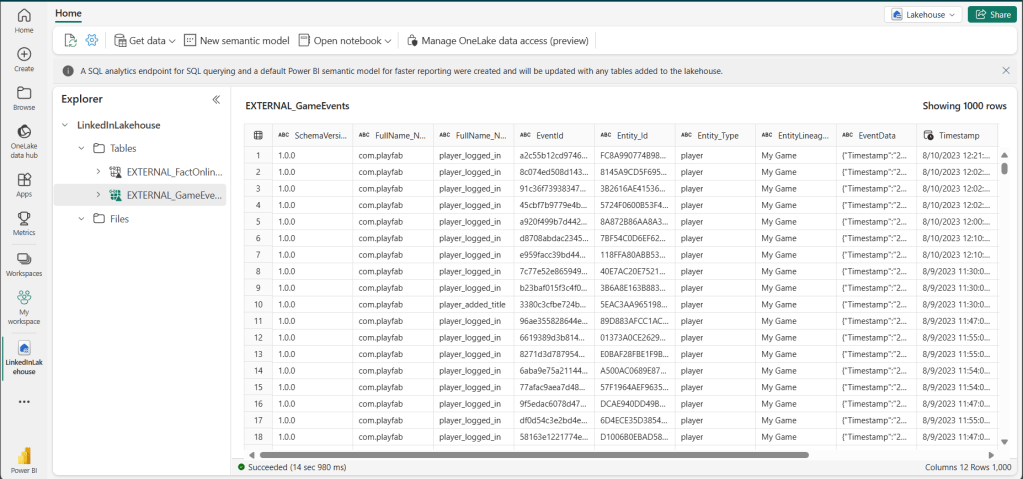
Admining the admin things
Once your shares are created, you might want to keep tabs on them.
If you go to the Permission settings of the object that you shared, you should now notice a new tab called “External Data Shares”. Here will explicitly be listed each of the users who have received your external data share, and you have the possibility to revoke it:

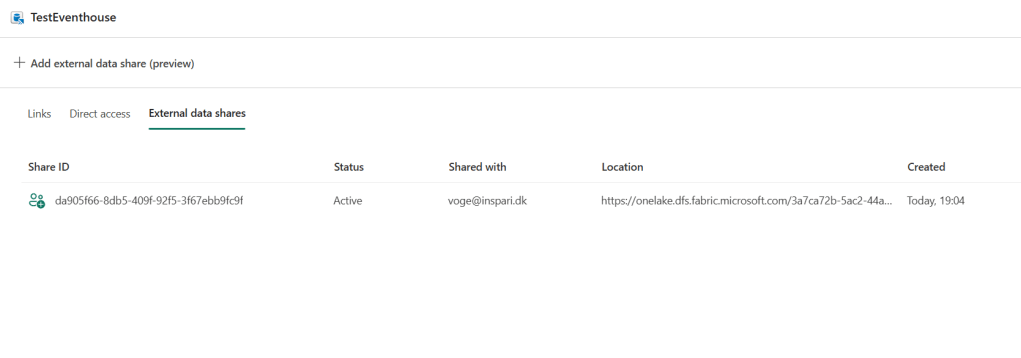
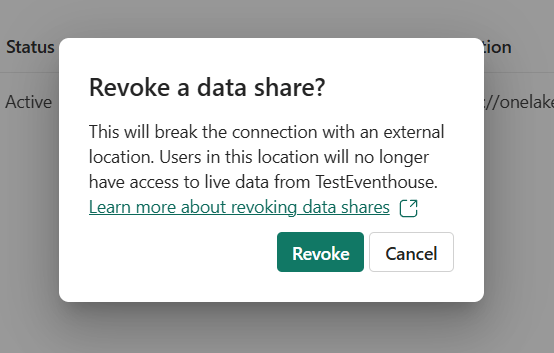
For now, we have do to this manually for each data share, with apparently no option for a centralized view of all external data shares – hopefully this changes in the future.
Considerations
The not so good
I find it both a blessing and a curse, that External Data Shares are created at the folder level. If only you were able to multi-select folders, or had the choice to share entire Lakehouses, the functionality would be great! But the fact that you are currently limited to sharing one folder at a time is a hassle for any scenario involving more than a few folders. Good news is that this is on the road map, so let’s cross our fingers.
Limitations obviously also exist in terms of the types of objects you can share (currently KQL DBs and Lakehouses), but further you are also not able to share Shortcuts that you may have made to other existing Lakehouses and KQL DBs in your OneLake. You will need to go to the source workspace, so to speak (as of June 2024, anyway, when I tested this).
Lastly, monitoring your external data shares is currently a bit of a hassle. Both in terms of knowing how much they are being used (if at all), and also in terms of governance, as you have no central overview of your shares.
The great
The feature is incredibly easy to set up.
It is a gamechanger for organizations working cross-tenant, as you can now start sharing data with colleagues without copying any data.
In general this allows for central development of key data architecture, which may subsequently be shared with any ‘external recipient’. Hence, this also potentially enables vendors to sell access to their data and platform to third parties.
The heads up
Security remains ever important, and for external data share, the general rules goes: As soon as it is shared, there is NO security!
Microsoft writes in their own documentation:
- The sharer can’t control who has access to the data in the consumer’s tenant.
- The consumer can grant access to the data to anyone, even guest users from outside the consumer’s organization.
- Data might be transferred across geographic boundaries when it’s accessed within the consumer’s tenant.
For further information, check out the official docs: External data sharing in Microsoft Fabric – Microsoft Fabric | Microsoft Learn
I hope you enjoyed this introduction to external data sharing. Have you found any cool use cases for this yet? Then I would love to hear from you.


 Downhill Data
Leave a comment