
Default Data Destinations for Dataflows

Ever had a Dataflow Gen2 in which you needed to map the output of several queries to the same Warehouse or Lakehouse? Takes a while to setup, right?
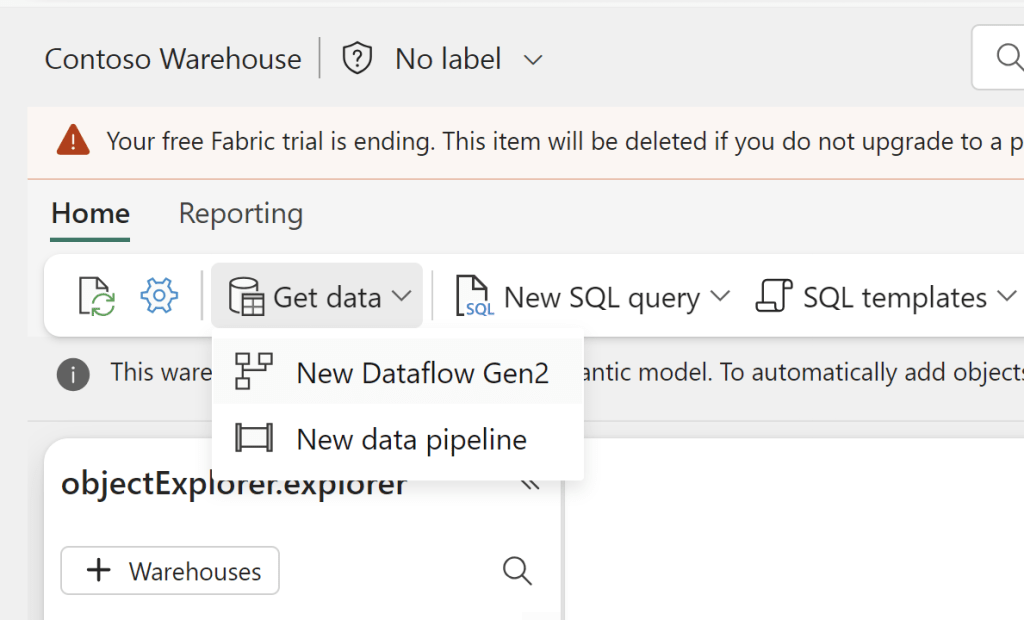
If you wish to add a Default Destination to your Dataflow, all you need to do is to create the Dataflow from inside your desired destination. This works for both Warehouses, Lakehouses and KQL Databases:
And all your queries will now show a Default Destination as the output:
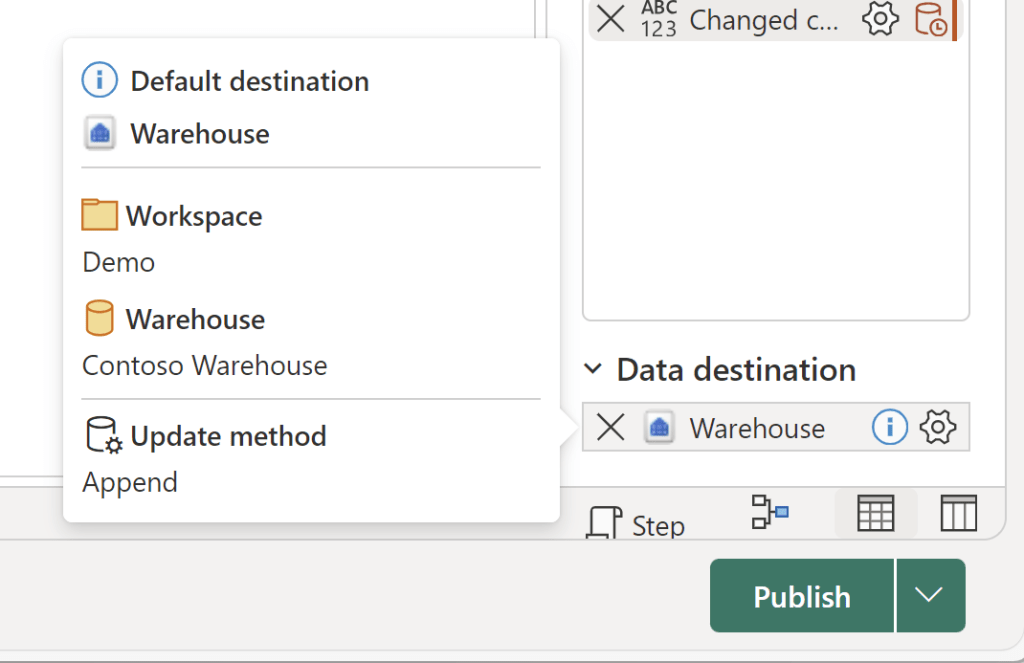
Depending on your destination, the default behaviour will be slightly different:
| Behavior | Lakehouse | Warehouse | KQL Database |
|---|---|---|---|
| Update method | Replace | Append | Append |
| Schema change on publish | Dynamic | Fixed | Fixed |
If you wish, you can of course still update the destination, to change the update method, the table name, or to select an existing table as the destination:
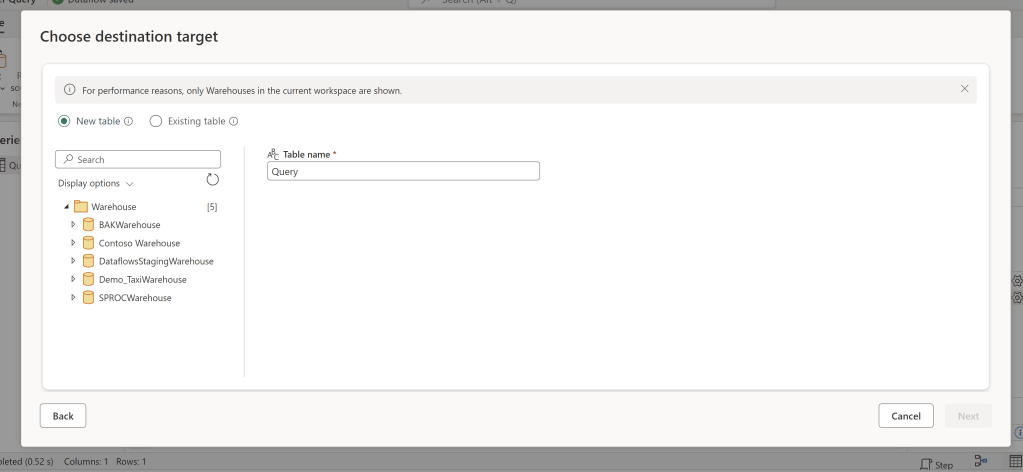
I found this to be a huge time saver, especially when importing a Dataflow Template, with many separate tables to be outputted.
What’s your favourite Fabric finding this week?




 Downhill Data
Leave a comment