Fabric Quick Tips: Hiding Power BI Report Page Navigation in Workspace Apps and Organizational Apps

Do you want to share Power BI Reports with End Users through an app, but hide the Page Navigation of the report?

This is especially useful if you have built-in navigation using Buttons, Sidebars or other menus in your report.

Luckily, there is a quick solution. Well, two solutions actually, depending on whether you are using Workspace Apps, or the new Organizational App item in Fabric.

Workspace Apps

In Workspace Apps, any report that you include by normal means will have its Page Navigation visible to users:
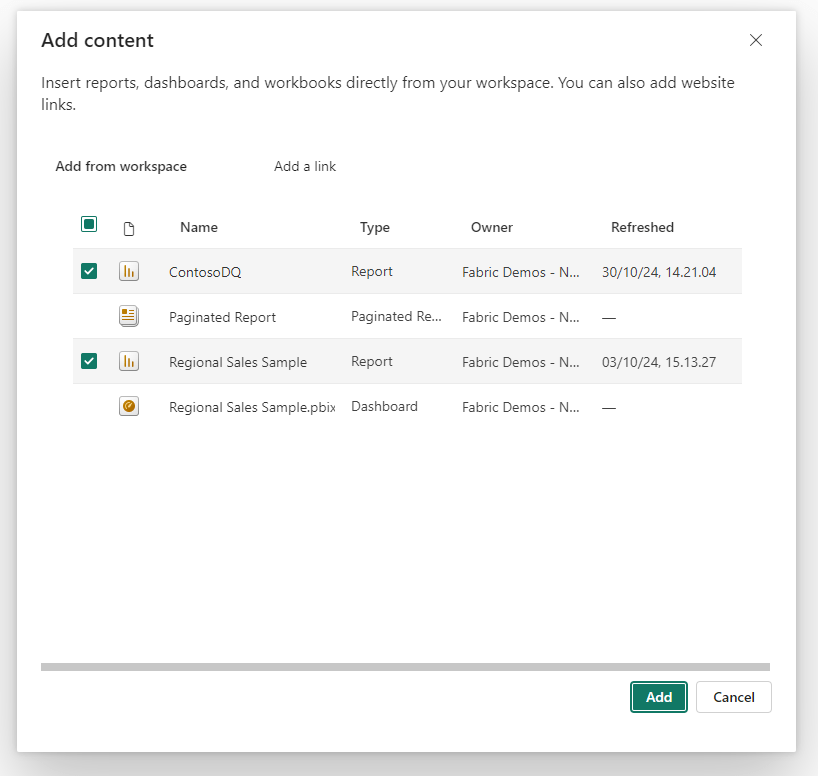
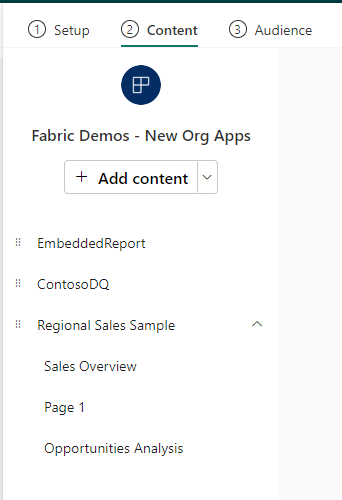
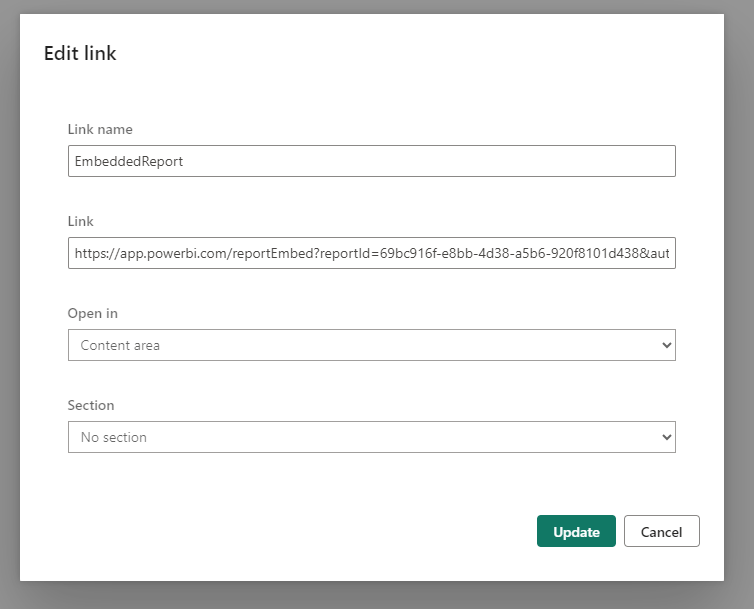
However, there is a workaround. If you instead of adding the Power BI report as normal content, choose to add a link:
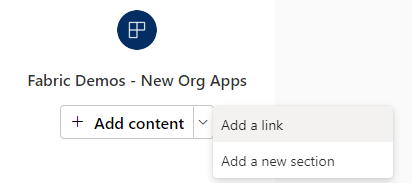
And in the Link textbox add the Embed URL of your Report, with the following suffix added at the very end “&navContentPaneEnabled=false” (remove the “”).
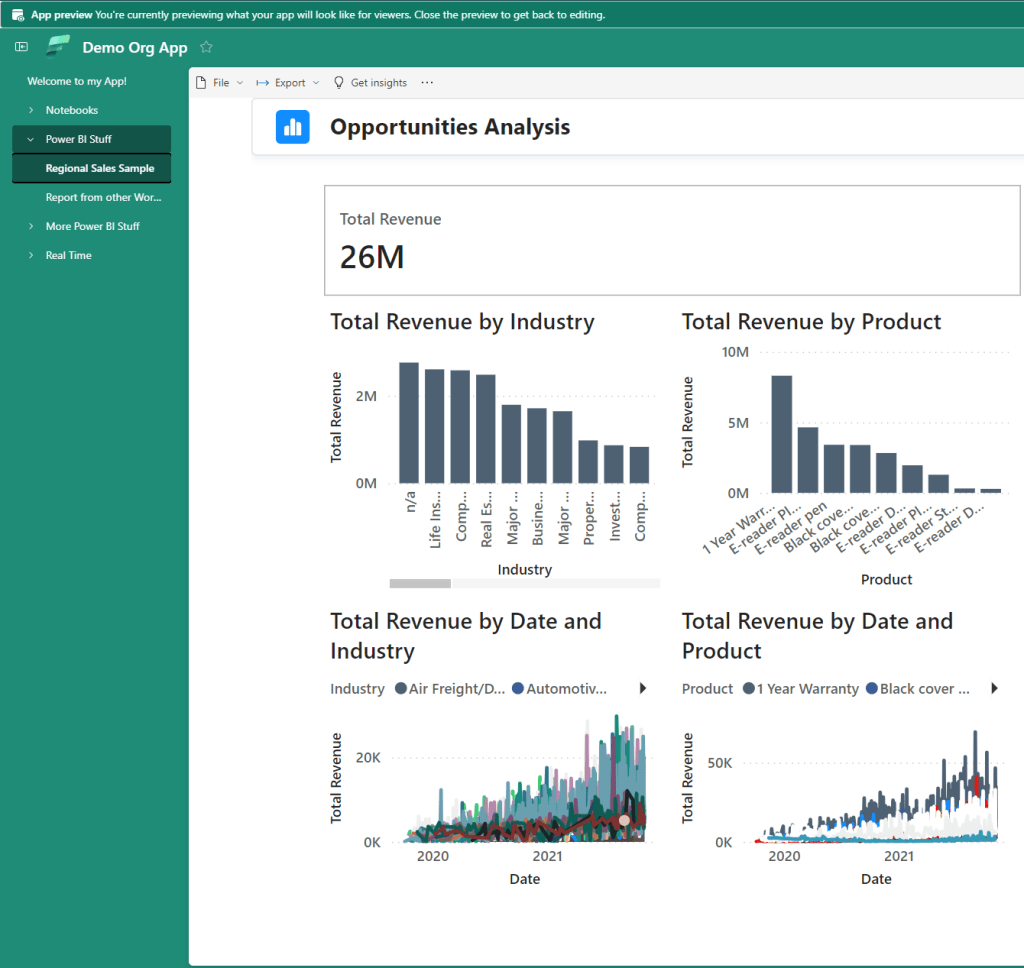
Then you get an embedded report (security still enabled), without the page navigation:
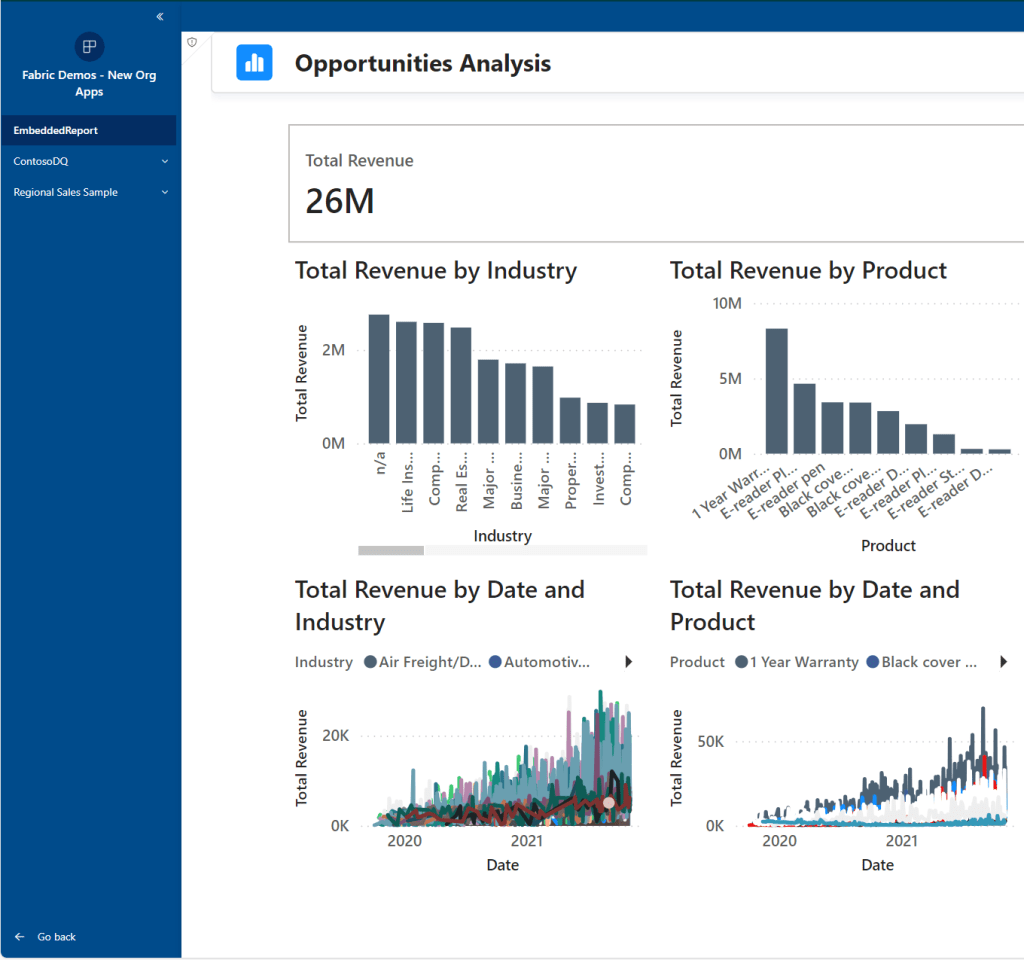
Bonus Tip: This method of adding reports even works cross-workspace!

Organizational Apps

In organizational Apps, it is much easier.

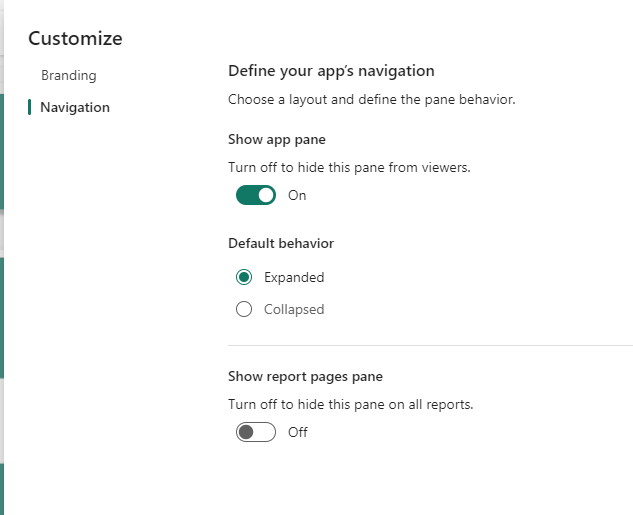
Here you just toggle off the option “Show Report Pages Pane” in the Customize options:
Also check out these other blogs:

Bulk Write-Back w. Translytical Task Flows in Microsoft Fabric / Power BI: Writing a single value back to multiple records at the same time

Introduction On this blog we’ve previously covered quite a few areas of Translytical Task Flows: Having presented a few sessions on Translytical Task Flows at conferences in the past moths, there is one major recurring question: How do you write-back multiple records at once? If you ask me, the questions of bulk write-back/writing back multiple…

Fabric Quick Tips – Pushing transformation upstream with Self Service Views and Tables in Visual Queries for Lakehouses/Warehouses/SQL DB

Introduction Recently, I’ve experienced a huge influx in requests from Microsoft Fabric customers wanting a good way for user’s to push data transformation upstream, following Roche’s Maxim: Data should be transformed as far upstream as possible, and as far downstream as necessary. To elaborate slightly, there are tons of Power BI Semantic Models out there…

Organizing your Microsoft Fabric Data Platform: Tags and Task Flows

Introduction We’ve arrived at the final level of detail in our series on Organizing your Microsoft Fabric Data Platform. So far we’ve covered, from broadest to narrowest scope: This time we go all the way down to the Item level on our platform, and describe strategies for labeling and categorising individual items by using Tags…

Something went wrong. Please refresh the page and/or try again.

One response to “Fabric Quick Tips: Hiding Power BI Report Page Navigation in Workspace Apps and Organizational Apps”

Leave a comment