Introduction
On this blog we’ve previously covered quite a few areas of Translytical Task Flows:
- Translytical Task Flows 101: Getting Started Guide
- Exploring User Input Options for TTFs
- Using Fabric Warehouse as Data Destination for TTFs
- Debugging, Data Validation and Error Handling in TTFs
- How to use Dropdown Slicers for TTFs
- Using Visual Selections in Power BI as TTF inputs
- Comparing write-back options for Power BI/Fabric: Translytical Task Flows vs Power Apps
Having presented a few sessions on Translytical Task Flows at conferences in the past moths, there is one major recurring question:
How do you write-back multiple records at once?
If you ask me, the questions of bulk write-back/writing back multiple records at once can be understood as two separate user stories, which sound similar, but are technically different:
- I want to select multiple records in my Power BI report, and write-back one piece of information to all selected records.
E.g., select two different products and write-back the same comment to each product. - I want to select a single record in my Power BI report, and write-back multiple distinct pieces of information about each record, with the press of a single button.
E.g select one product and input forecasted sales for January, February, and March all at once.
In this week and next week’s blogs, we’ll explore possible solutions for each scenario. This week, we tackle Scenario 1: Writing back a single value to multiple records at the same time.
Write-back one piece of information to multiple records
Option 1: Select Multiple records in slicer
This scenario has been explored before (see e.g Edward Charles’ excellent video on the subject: Writing back Multiple Records with a Single Click in Power BI! (Translytical Task Flows), so I’ll try to make my explanation brief.
In short, you start by creating a multi-select slicer (List or Button both work for this scenario) and map those to a Translytical Task Flow:

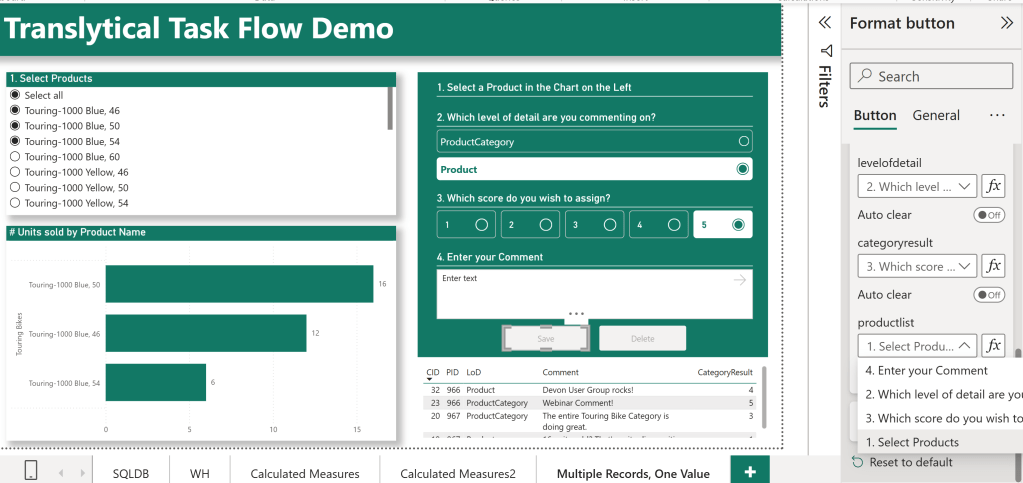
The parameter that you map the slicer to in the User Defined Function need to be of type “List”:
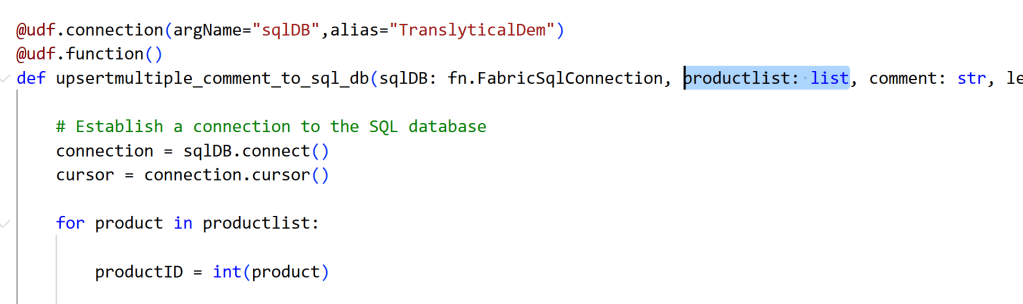
Most of the rest of the function looks like the other write-back TTFs we’ve made on this blog, with the primary chance being that we incorporate a ‘for’-loop to iterate through the list of selections made in the slicer, applying the same logic to each item:
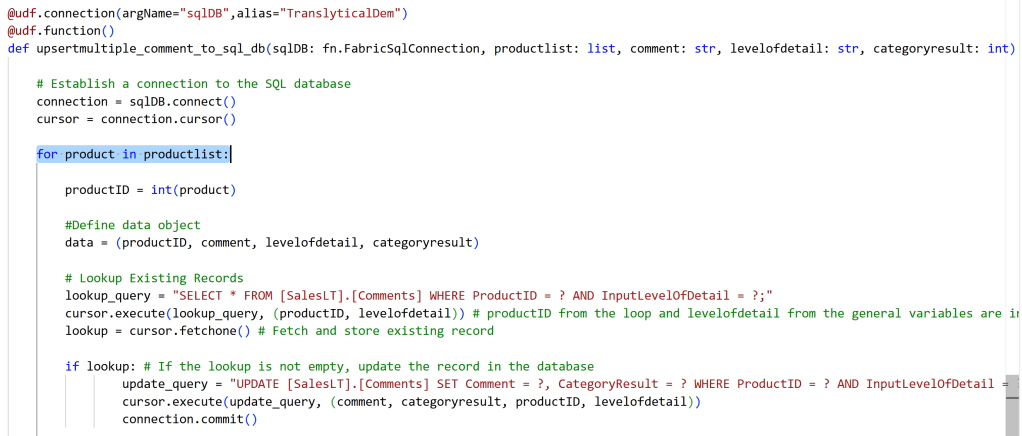
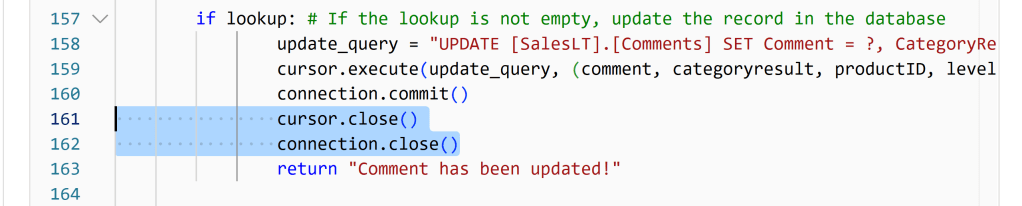
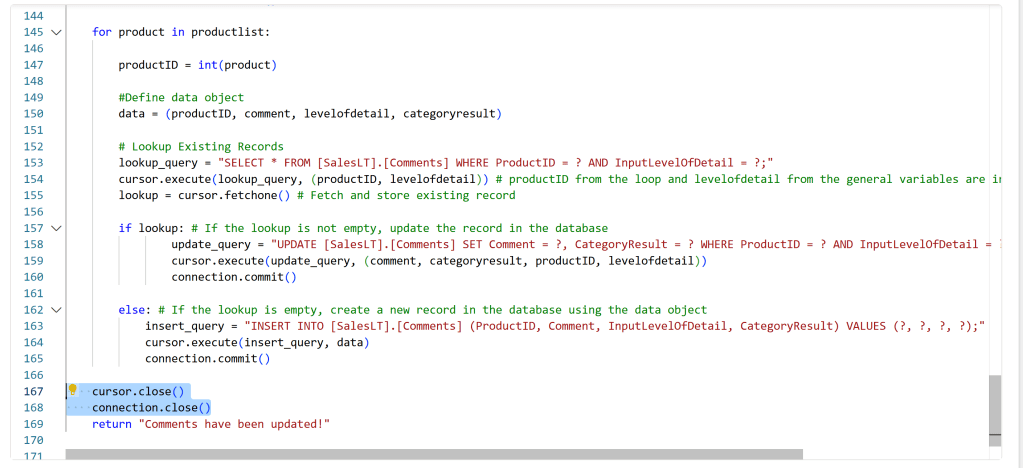
Do also be aware though, if you’re modifying code that you previously used to upsert individual records, that any cursor.close() or connection.close() functions must be placed outside the for-loop itself. Otherwise your loop will end on its first iteration. At least this tripped me up on my first few attempts:
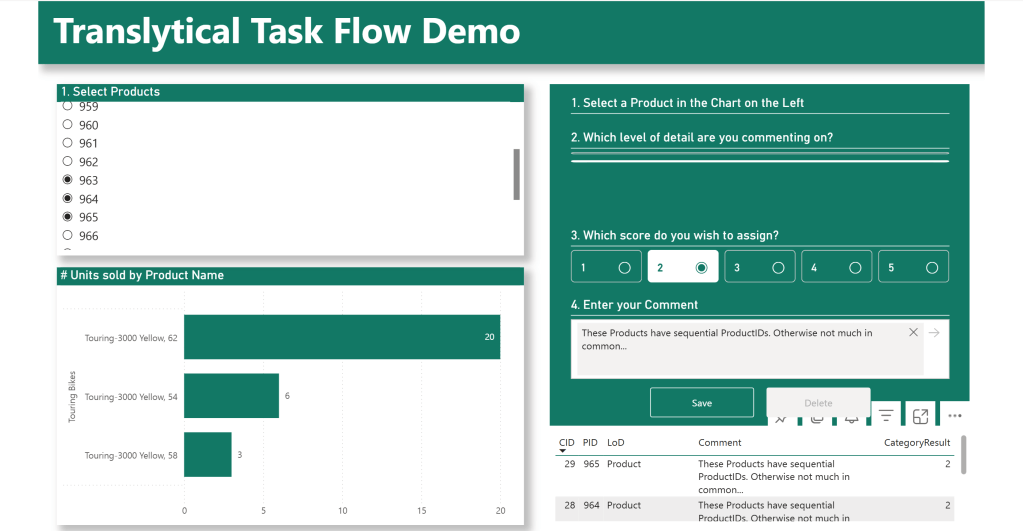
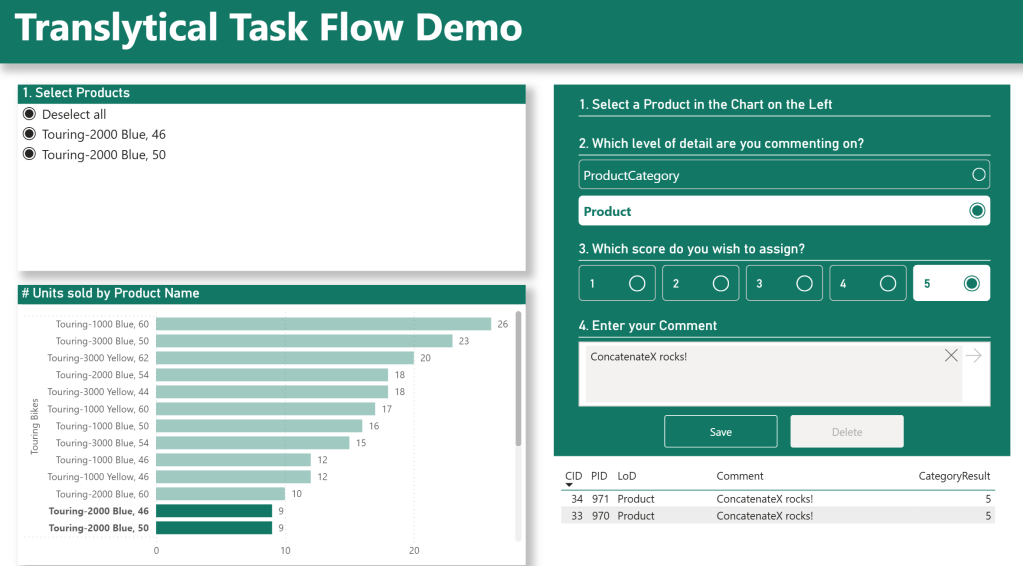
The end result, is a report which allows me to add the same Comment to all the items selected in my slicer:
The full UDF Code look like the following:
import fabric.functions as fn

@udf.connection(argName="sqlDB",alias="TranslyticalDem")
@udf.function()
def upsertmultiple_comment_to_sql_db(sqlDB: fn.FabricSqlConnection, productlist: list, comment: str, levelofdetail: str, categoryresult: int) -> str:

    # Establish a connection to the SQL database
    connection = sqlDB.connect()
    cursor = connection.cursor()

    for product in productlist:

        productID = int(product)

        #Define data object
        data = (productID, comment, levelofdetail, categoryresult)

        # Lookup Existing Records
        lookup_query = "SELECT * FROM [SalesLT].[Comments] WHERE ProductID = ? AND InputLevelOfDetail = ?;"
        cursor.execute(lookup_query, (productID, levelofdetail)) # productID from the loop and levelofdetail from the general variables are inserted variables in the query
        lookup = cursor.fetchone() # Fetch and store existing record

        if lookup: # If the lookup is not empty, update the record in the database
                update_query = "UPDATE [SalesLT].[Comments] SET Comment = ?, CategoryResult = ? WHERE ProductID = ? AND InputLevelOfDetail = ?"
                cursor.execute(update_query, (comment, categoryresult, productID, levelofdetail))
                connection.commit()

        else: # If the lookup is empty, create a new record in the database using the data object
            insert_query = "INSERT INTO [SalesLT].[Comments] (ProductID, Comment, InputLevelOfDetail, CategoryResult) VALUES (?, ?, ?, ?);"
            cursor.execute(insert_query, data)
            connection.commit()

    cursor.close()
    connection.close()
    return "Comments have been updated!"
Option 2: Select Multiple records in visual
What if I don’t want another slicer, but just want to pick up multiple selections made in a visual using ctrl + click?
Then we need to use a Calculated Measure to pick up those values.
My first through was to simply use the VALUES() DAX formula in a Calculated Measure to return a list of IDs to be passed to the User Data Function expecting a list parameter:
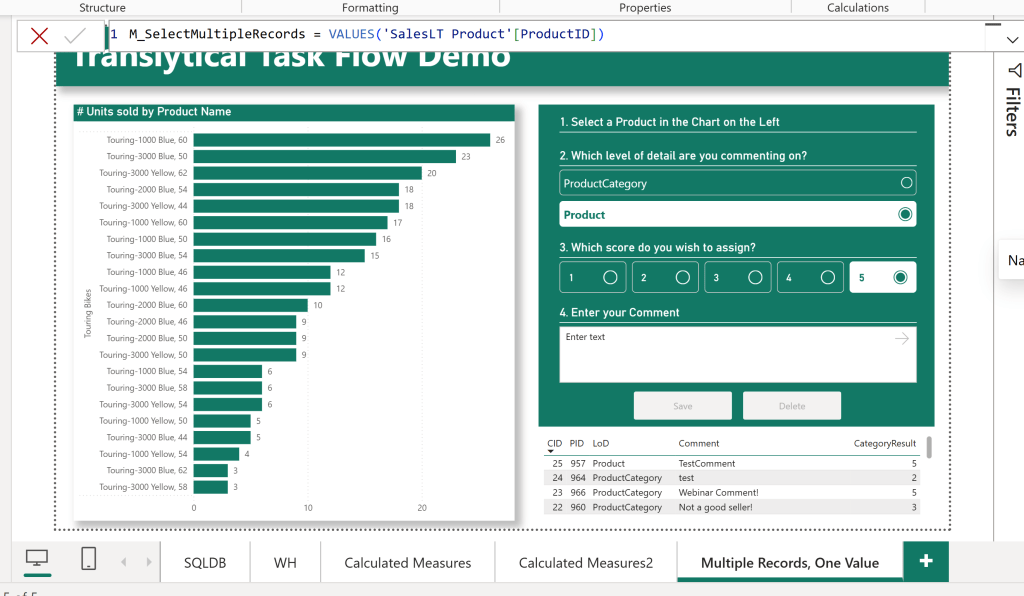
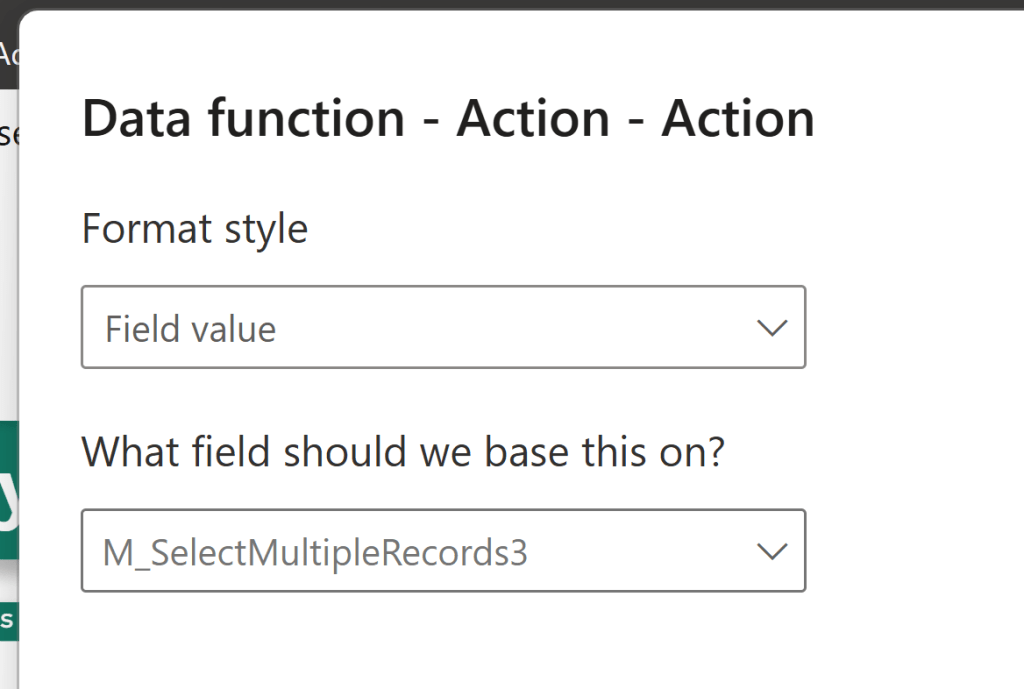
However, it turns out, that the “Conditional Formatting” pop up is blank for parameters of type List…. Let’s hope they fix this in the future:
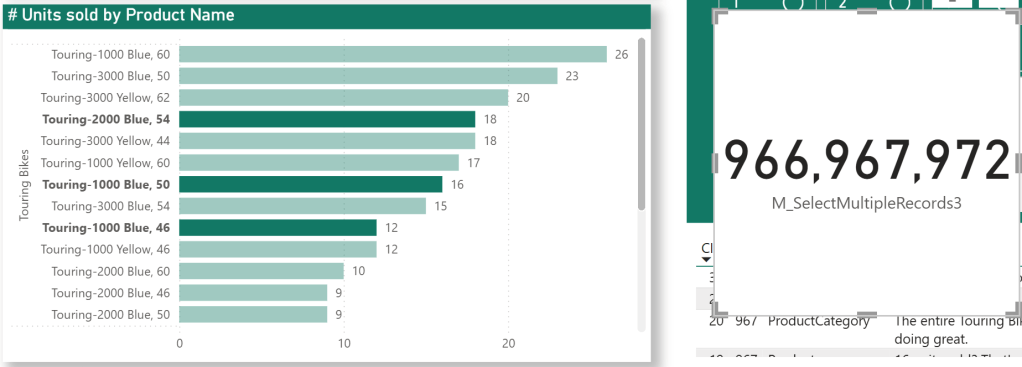
Instead, I circumvented this by using CONCATENATEX() to put together one long comma separated string of ProductIDs:

Now when I select multiple records in my visual, I get a concatenated string (shown as example here with a dummy card visual):
Then I altered my UDF Productlist parameter to accept a string instead of a list:

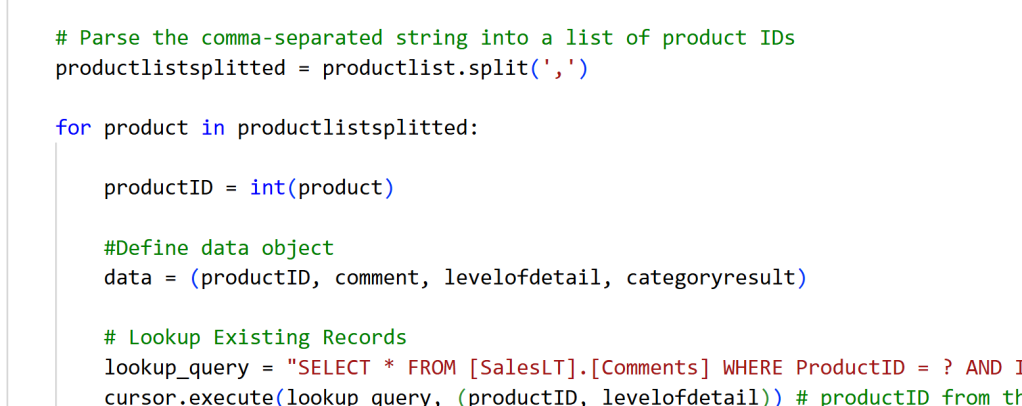
And then using a little bit of extra code in the UDF to parse my comma separated string into an array, that I could loop through. The rest of the code is identical with the other option above:
Mapping my button to the altered UDF, and the Productlist string parameter to my Measure, we get a working solution:
Conclusion
Either method works about equally well, with no perceived difference (have not attempted timing or measuring it) but the solutions are obviously different.
The ConcatenateX method is definitely more flexible, as it would work on visuals as well as slicers, simply picking up the context of the report as-is.
The List method is arguably “easier” and “cleaner”, and maybe better for beginners, but you are limited to using multi-select List or Button slicers.
Also stay tuned for next week, as we tackle the problem of writing multiple data points back to the same record.

 Downhill Data
Leave a comment