
Introduction
A Fabric feature which has flown a little under the radar (and which is still in Preview as of May 2024), is the ability to sync data from imported Semantic Models back to OneLake: Learn about Microsoft OneLake Delta table integration in Power BI and Microsoft Fabric – Power BI | Microsoft Learn
The integration writes data from all Import Tables in the Semantic Models to Delta Tables in OneLake, and once stored there, they may be accessed through by all the usual means, for example by creating shortcuts to the tables from inside a Lakehouse, or even browsing the files in your Desktop OneLake File Explorer.
This article will cover how to set up the integration, and at the end we’ll discuss if this is genius, or if it is crazy and you should just stick to Dataflows.
How to set up the Integration
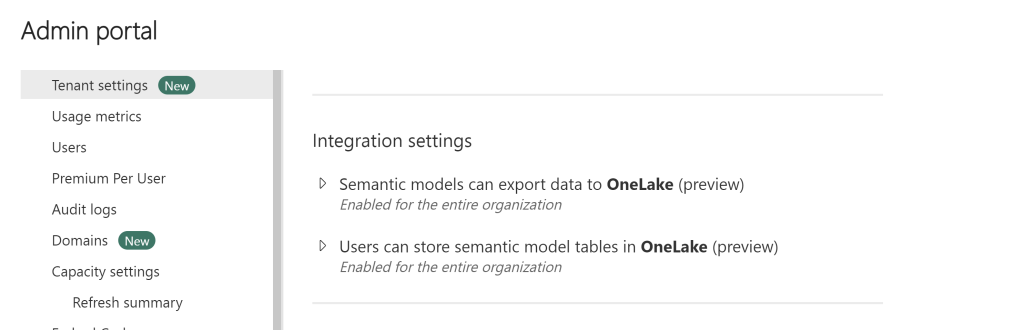
First things first. You need to enable two Tenant Settings in your Fabric Admin Portal:
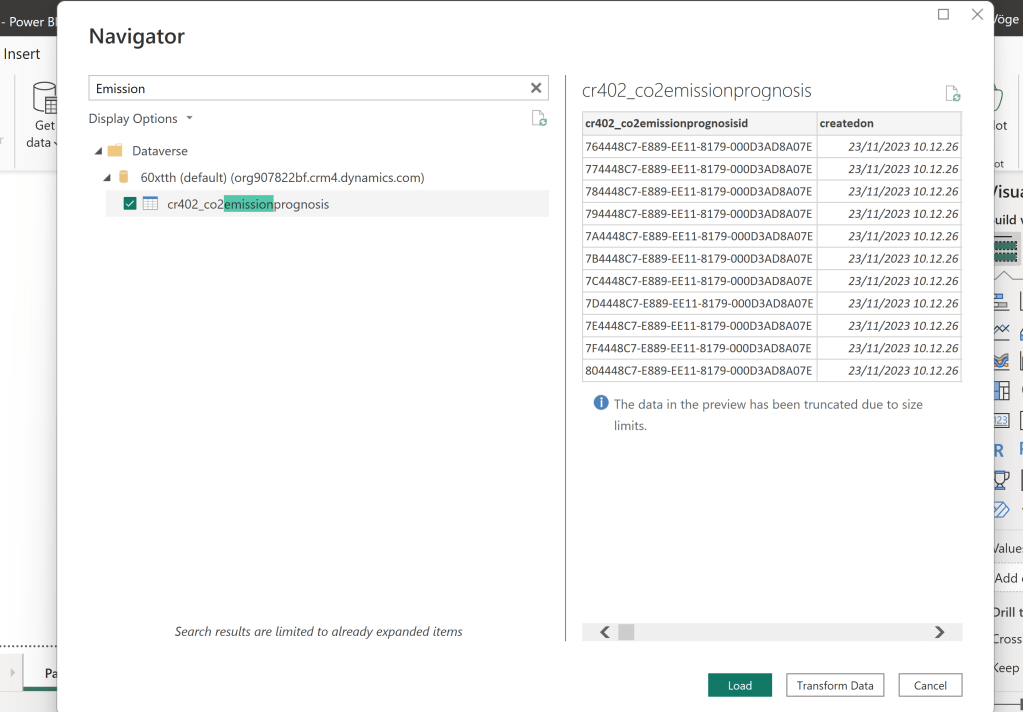
Next, I created a table in Dataverse which I want to Sync to my OneLake:

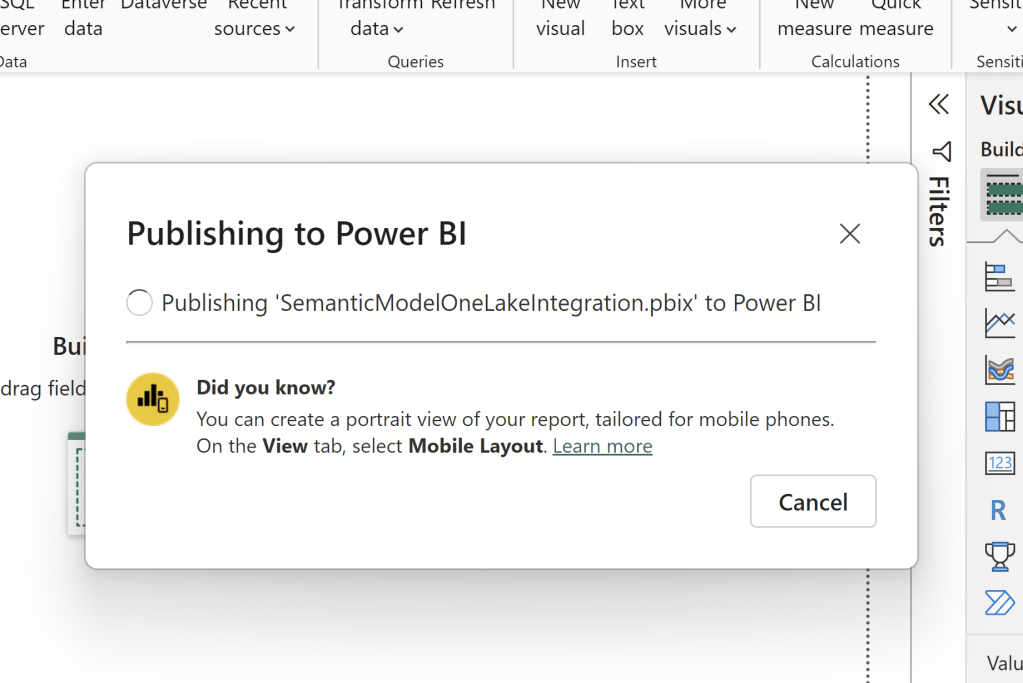
I connected to the Dataverse table from Power BI desktop, and without doing anything else, published it to a Fabric Enabled Workspace:
Opening the Model from the Workspace, I go into the settings, and enable the OneLake Integration setting:
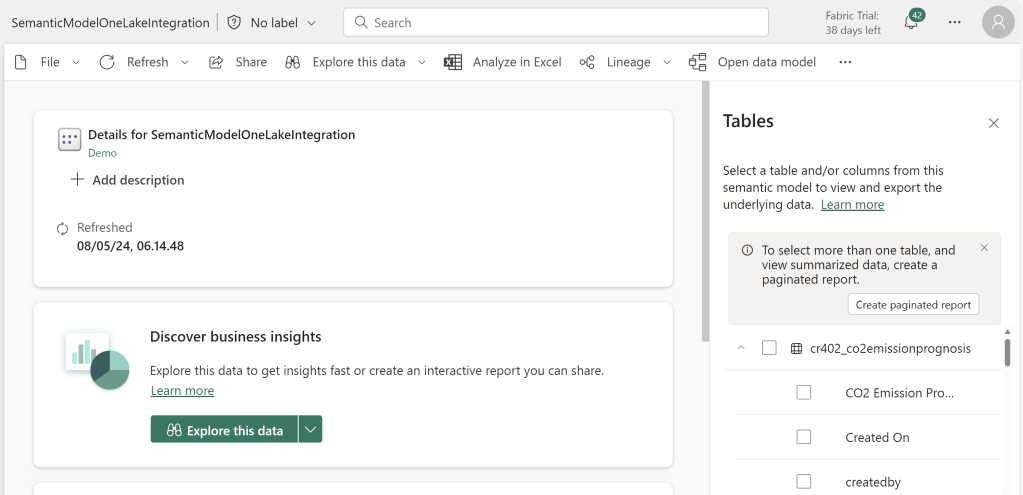
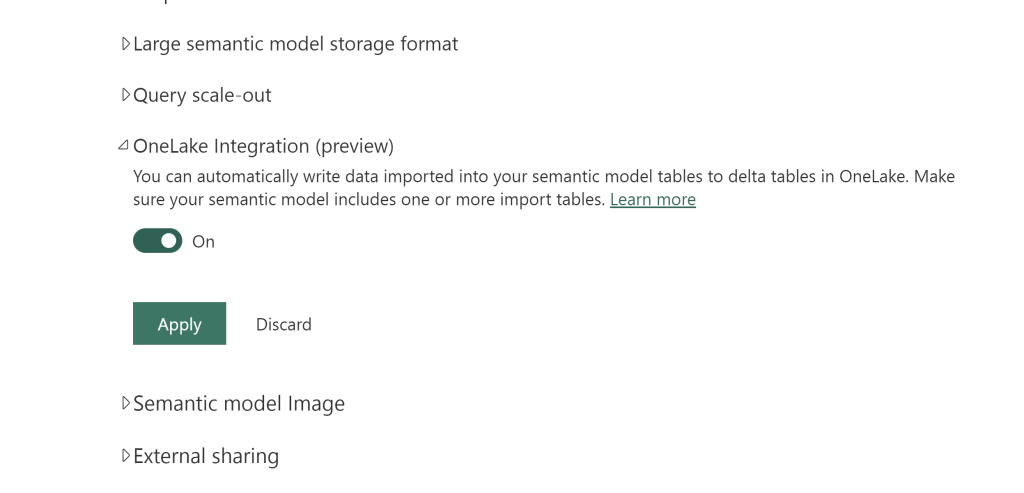
After applying the new setting, data will be ingested into your OneLake when your Semantic Model is either refreshed manually or by a schedule.
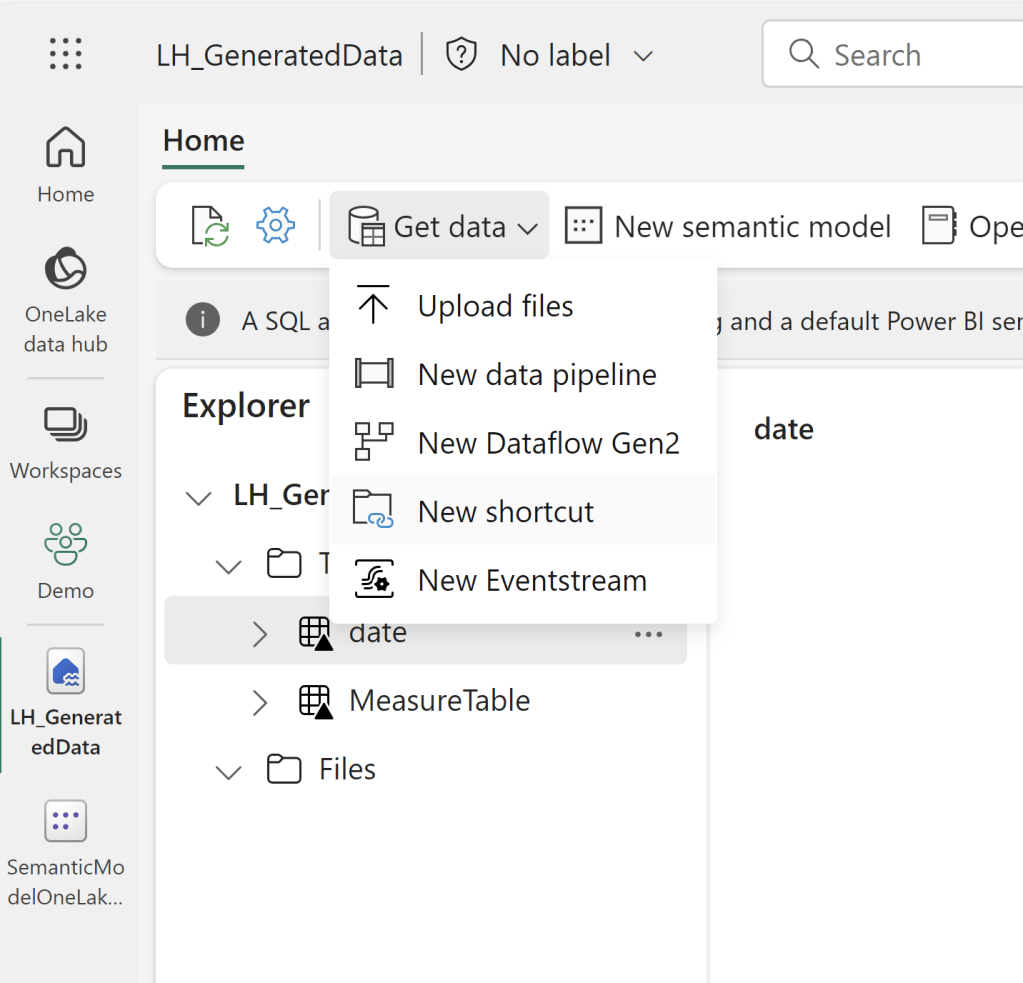
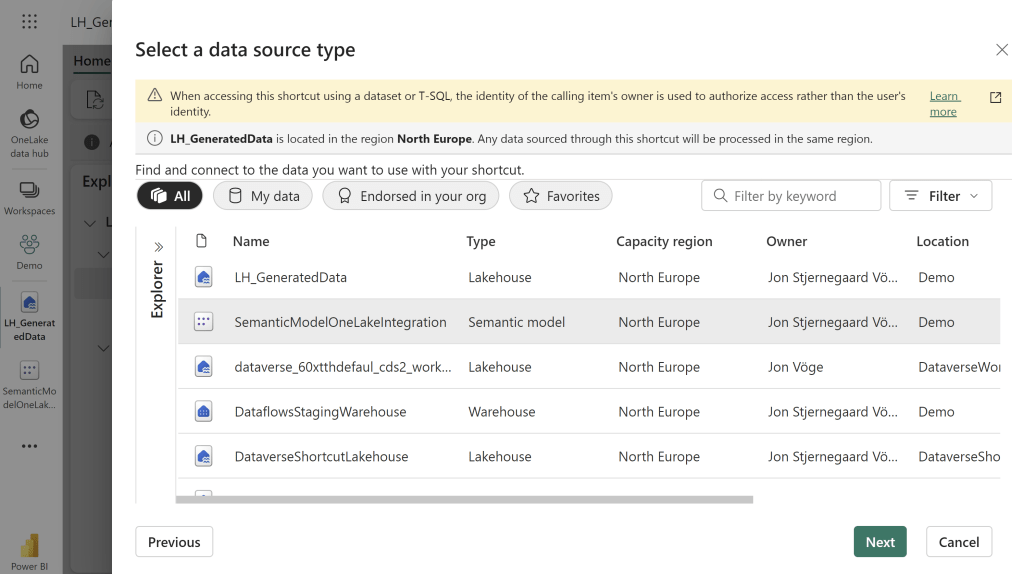
The data can subsequently be accessed by creating a Shortcut within a Lakehouse:

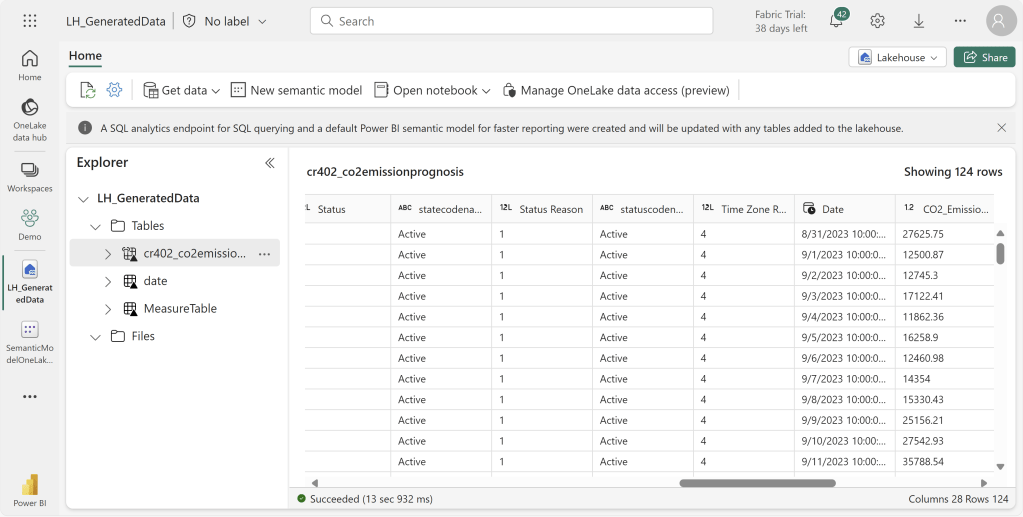
Or even by browsing the files using the OneLake explorer on your desktop:

If I go ahead and alter a few values in the table in Dataverse (in this case, deleting a value, and editing a value):
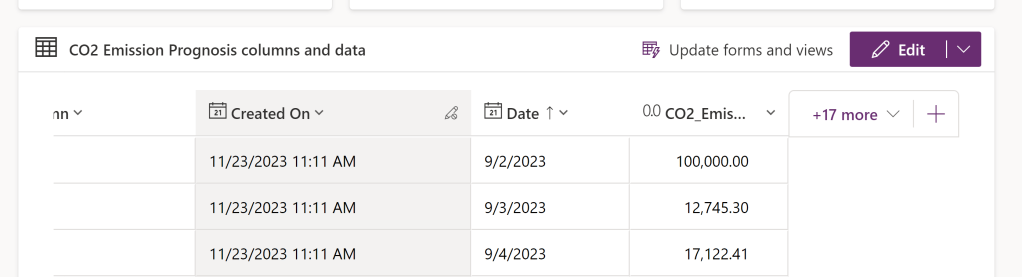
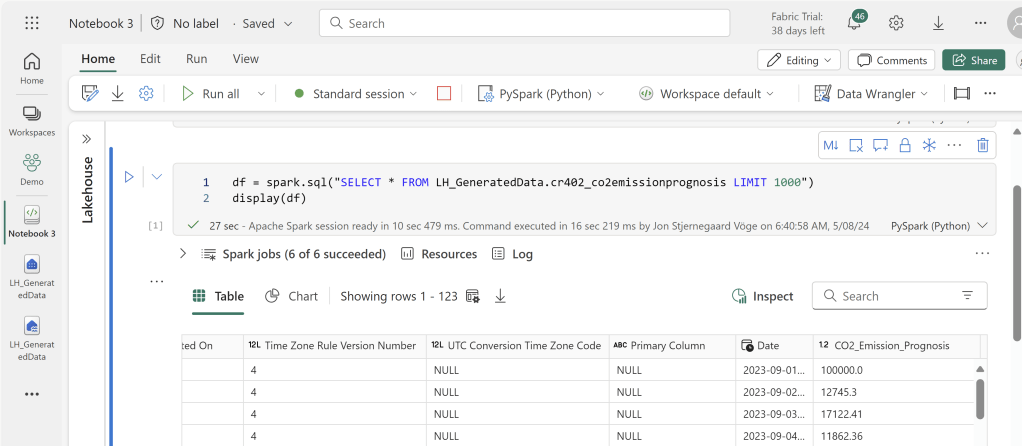
The updated values show when I query the shortcutted Lakehouse Table, but only after a refresh of the Semantic Model has occurred:
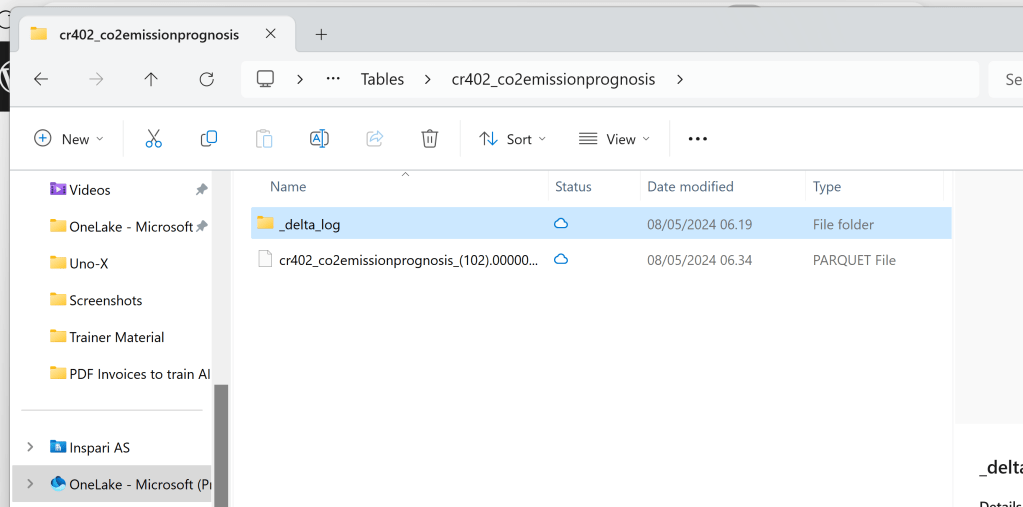
Under the hood, the update is simply performed by creating new Delta Tables, and deleting the old ones. There is no time traveling and retention of old files with this integration:
How does the approach compare to that of using Dataflows?
While the authoring experience is similar, there are the usual differences between Dataflows and Power Query Desktop to take into consideration.
In addition, I would highlight the following Pros and Cons:
Pros
Refresh Performance
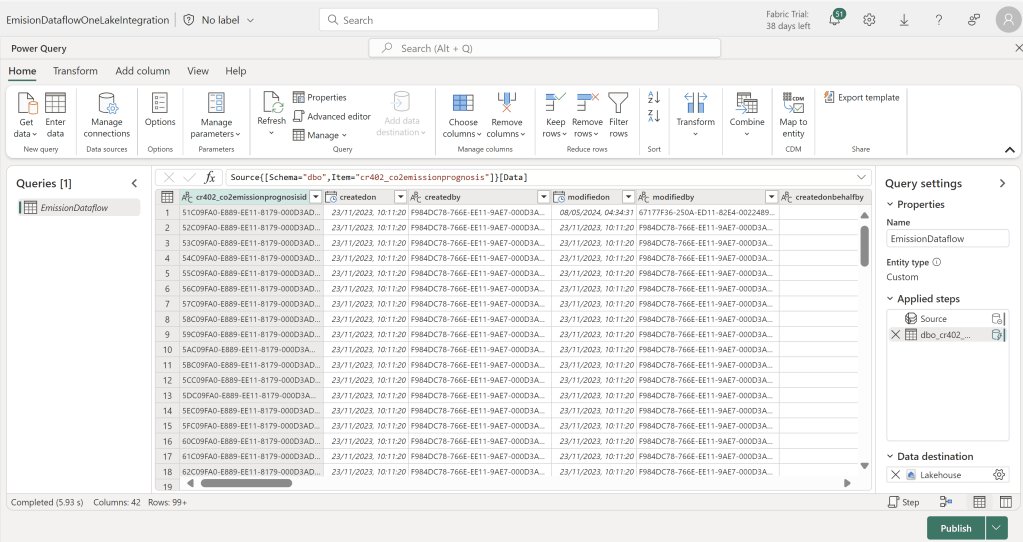
Comparing to a simple Dataflow Gen2 which connects to the same Dataverse Table, which has disabled Query Staging, and Query Folding enabled,and using automatic settings to write to the same Fabric Lakehouse but in a new table:
The Semantic Model took 8 seconds for the refresh that had to also create the initial table in OneLake, and 7 seconds to refresh the second time:

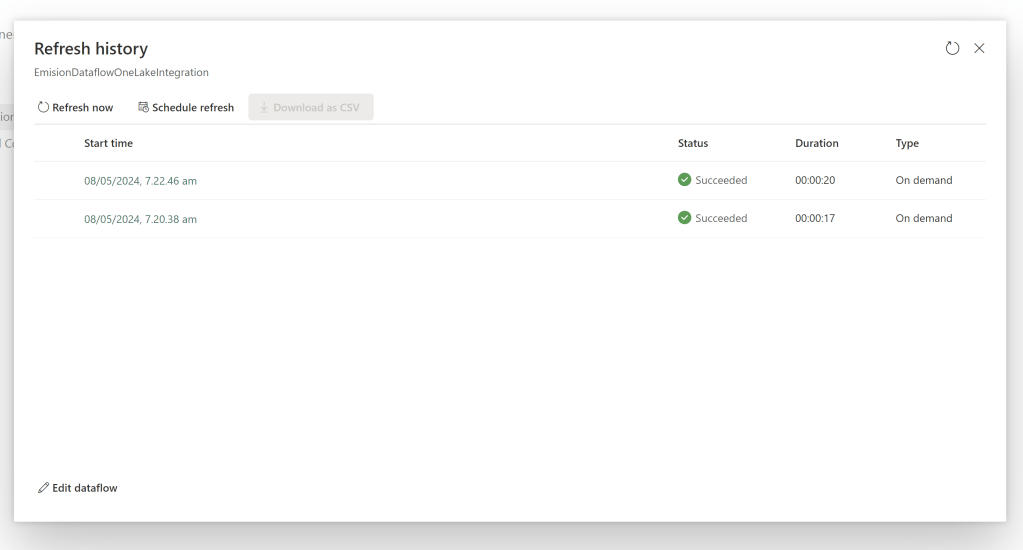
While the Dataflow took 17 and 20 seconds to do the initial load and subsequent refresh respectively:
CU Units & Costs:
In terms of costs, as per the documentation, while in preview, the solution only incurs costs (and that is costs in terms of Capacity Units) from the storage and compute of the exported model, while the actual export operation is not billed. I suppose this also hints that the export will eventually draw on your Capacity Units as well, however, a quick look at the Fabric Capacity Metrics App, looking at the Non-Billable line for the OneLake shows that the compute was rather small in terms of CUs for the initial Export, and even smaller for the refresh I did 15 minutes later:

Looking at the numbers for the dataflows, we are seeing much much higher CU consumption from both the Initial Refresh and the Second Refresh:

Cons
On the other side, what are the cons of this ingestion method?
Besides the obvious fact of the feature being in Preview, it also carries the unfortunate consequence that any logic taking place in the data load and transformation in Power Query is impossible to dissect and understand from within the Fabric environment.
Further, to make changes to the ingestion (e.g. adding new tables, adding a column), you will need to download the .pbix file and make your changes before republishing, or alternatively modify it using Tabular Editor.
What’s the Verdict? Crazy or Genius?
While the loss of logical transparency is a considerable downside, I am stoked about the potential for achieving much higher performance/lower costs for low-code ETL into Fabric. So maybe it is worth that downside?
I haven’t tested enough to make any final conclusions. Especially considering the feature is still in Preview. But I hope the article inspires more people to test out the functionality, including testing the limits by increasing the volume of data.


 Downhill Data
Leave a reply to 5 ways to get your Dataverse Data into Microsoft Fabric / OneLake – Downhill Data Cancel reply