Fabric Quick Tips – Dataflow Gen2 Default Data Destinations

Default Data Destinations for Dataflows
Ever had a Dataflow Gen2 in which you needed to map the output of several queries to the same Warehouse or Lakehouse? Takes a while to setup, right?

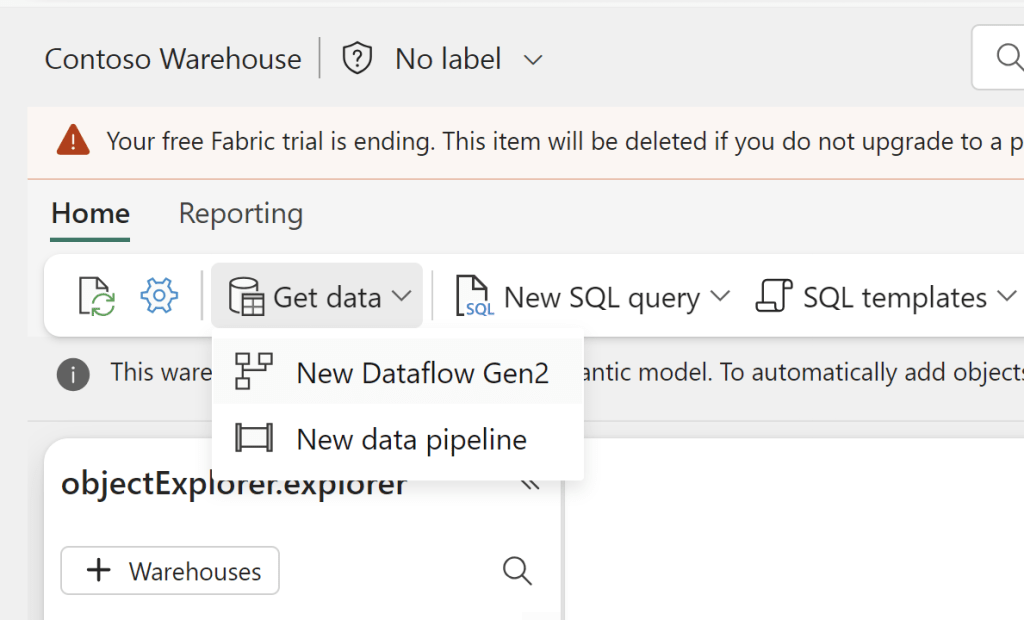
If you wish to add a Default Destination to your Dataflow, all you need to do is to create the Dataflow from inside your desired destination. This works for both Warehouses, Lakehouses and KQL Databases:
And all your queries will now show a Default Destination as the output:
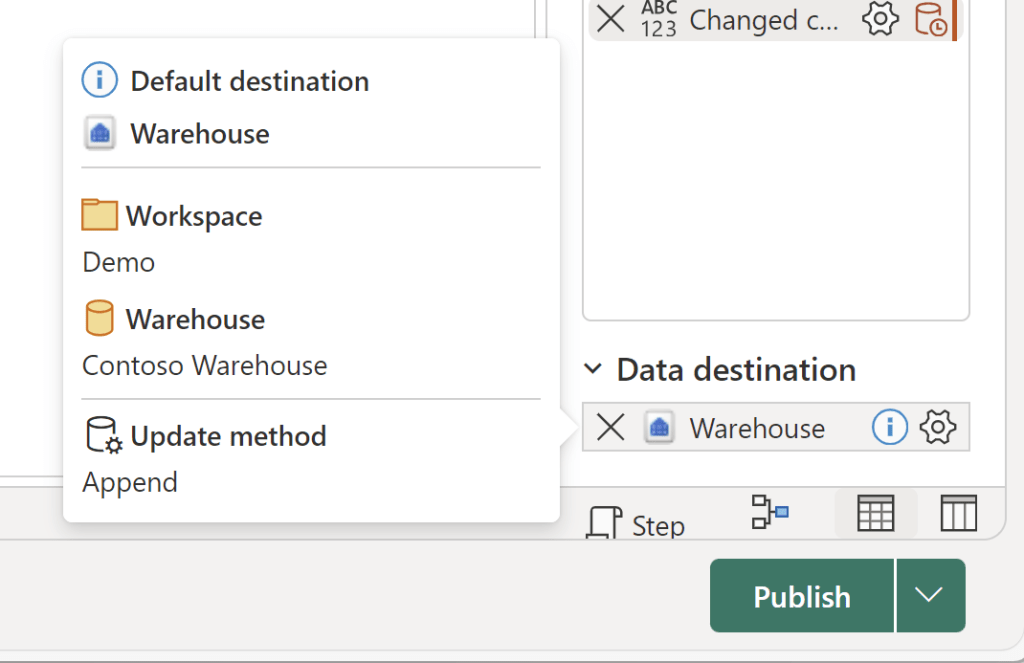
Depending on your destination, the default behaviour will be slightly different:

BehaviorLakehouseWarehouseKQL Database
Update methodReplaceAppendAppend
Schema change on publishDynamicFixedFixed

If you wish, you can of course still update the destination, to change the update method, the table name, or to select an existing table as the destination:
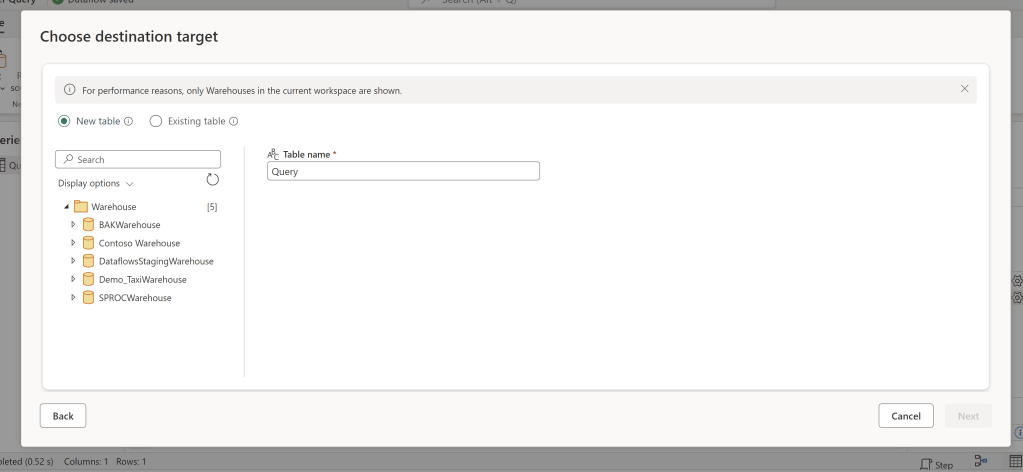
I found this to be a huge time saver, especially when importing a Dataflow Template, with many separate tables to be outputted.

What’s your favourite Fabric finding this week?
Also check out these other blogs:

Bulk Write-Back w. Translytical Task Flows in Microsoft Fabric / Power BI: Writing a single value back to multiple records at the same time

Introduction On this blog we’ve previously covered quite a few areas of Translytical Task Flows: Having presented a few sessions on Translytical Task Flows at conferences in the past moths, there is one major recurring question: How do you write-back multiple records at once? If you ask me, the questions of bulk write-back/writing back multiple…

Fabric Quick Tips – Pushing transformation upstream with Self Service Views and Tables in Visual Queries for Lakehouses/Warehouses/SQL DB

Introduction Recently, I’ve experienced a huge influx in requests from Microsoft Fabric customers wanting a good way for user’s to push data transformation upstream, following Roche’s Maxim: Data should be transformed as far upstream as possible, and as far downstream as necessary. To elaborate slightly, there are tons of Power BI Semantic Models out there…

Organizing your Microsoft Fabric Data Platform: Tags and Task Flows

Introduction We’ve arrived at the final level of detail in our series on Organizing your Microsoft Fabric Data Platform. So far we’ve covered, from broadest to narrowest scope: This time we go all the way down to the Item level on our platform, and describe strategies for labeling and categorising individual items by using Tags…

Something went wrong. Please refresh the page and/or try again.

One response to “Fabric Quick Tips – Dataflow Gen2 Default Data Destinations”

  1. […] in November, I shared a method for adding Default Data Destinations to your Dataflow Gen2, which was interesting, because there was no way to bulk-add data destinations for your […]

    Like

Leave a comment