Introduction
Recently, I was asked by a customer if I knew of a good way to merge the Calculated Measures of two different Semantic Models.
The reason for this ask, was that the client was maintaining two separate Semantic Models using the exact same set of tables. The only difference was that one model was Import and the other DirectQuery.
Now, how you best maintain multiple copies/variants of the same Semantic Model is a whole other discussion but as a one-off, I was asked to merge the Measures of the two models.
Initially, the question actually stumped me as my usual tool of choice for external manipulation of semantic models Tabular Editor does not have a great native way to solve this. But turning to the Power BI MVP community provided a bunch of other useful suggestions:
- Comparing the TMDL code of both models using an LLM, and manually updating each model.
- Using a diff/merge tool to compare the database.json file that you can create from Tabular Editor
- Using the Similarity Score feature in Measure Killer
- Using Github Copilot Agent mode to compare the tmdl code of model 1 against model 2
And finally, the option I went for for this one-off exercise. The option I had actually used in the past but completely forgot about:
- Using the ALM Toolkit to compare the two models.
I’m certain any of the methods above would’ve worked just fine, but ALM Toolkit surely provides one of the simplest ones. Read on below to see an example.
Comparing and updating models with ALM Toolkit
To perform our little magic trick, we need two semantic models.
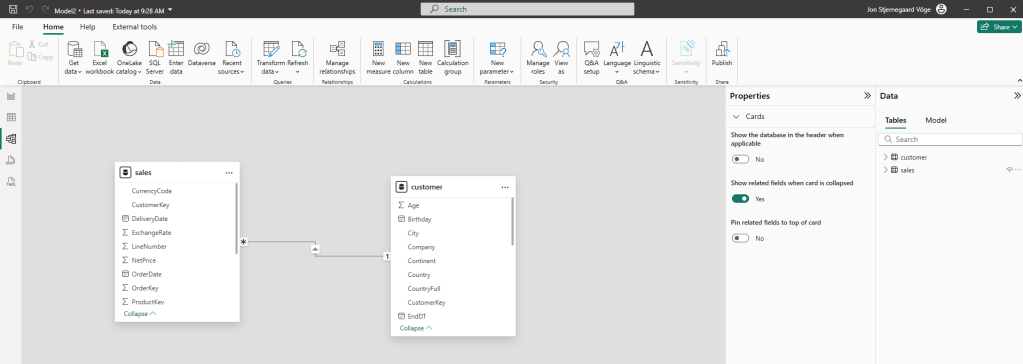
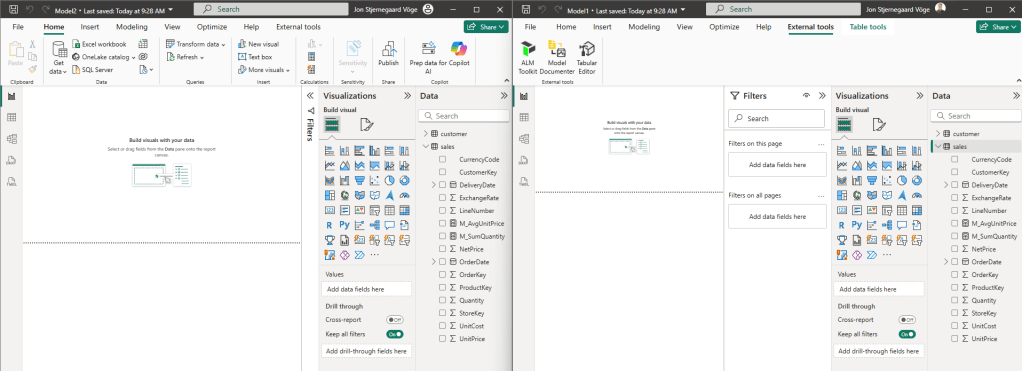
I have Model 1, and Model 2, both with the same set of tables (although technically speaking this is not necessary, it helps avoiding broken measures after the merge):

In Model 1, I only have one Calculated Measure:

Whereas Model 2 holds the same measure as Model 1, plus one additional measure:

To the rescue comes the ALM Toolkit.
First, simply install the latest version from the website: Home Page – ALM Toolkit
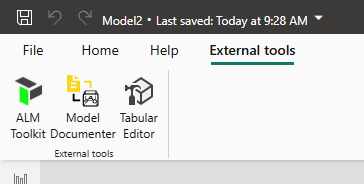
Next, open up both Models in Power BI Desktop, and from the External Tools ribbon, select ALM Toolkit:
In the Connections prompt, define the Source model as the model you are merging from, and the Target model as the model you are merging into:

ALM Toolkit will perform a comparison:
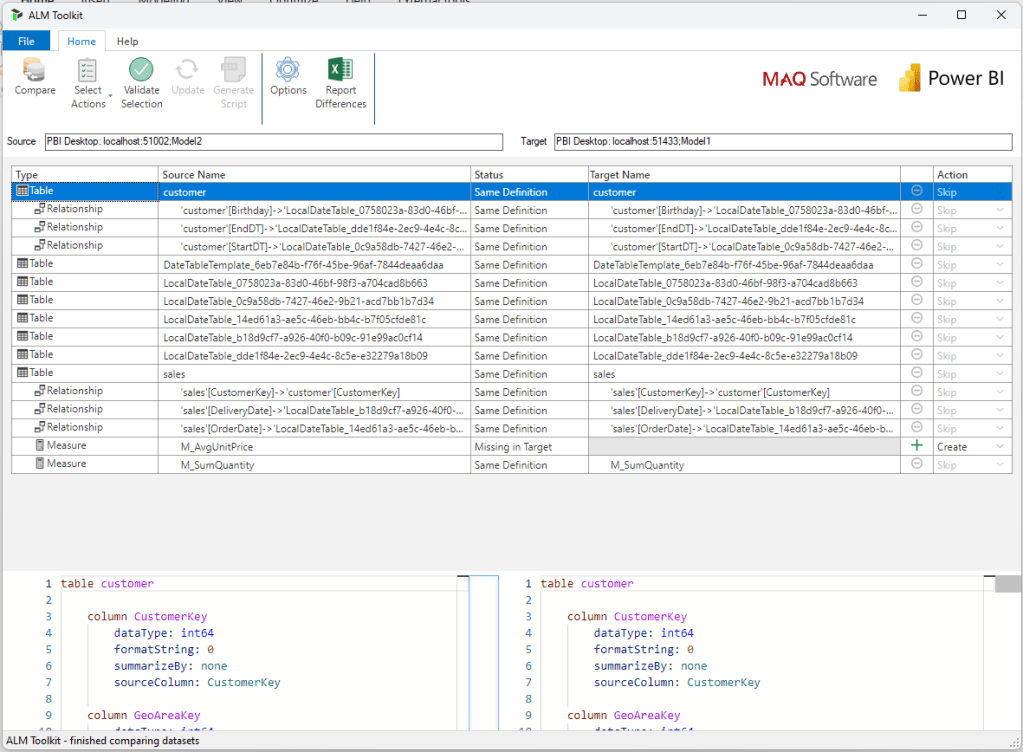
And a quick filtering with Select Actions shows our one measure as “Missing in Target”:
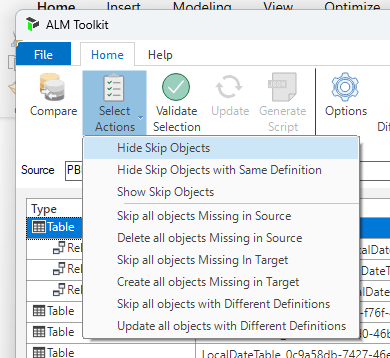
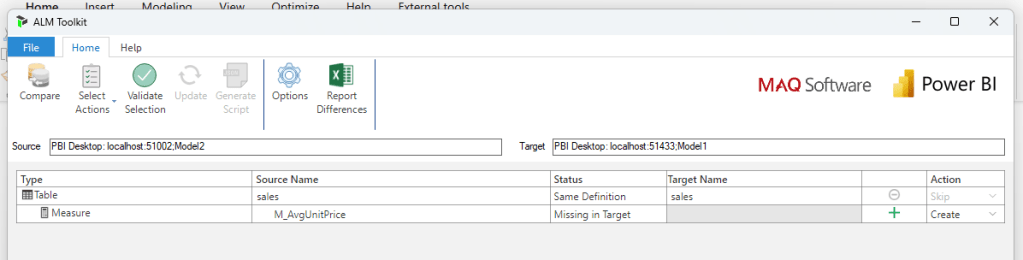
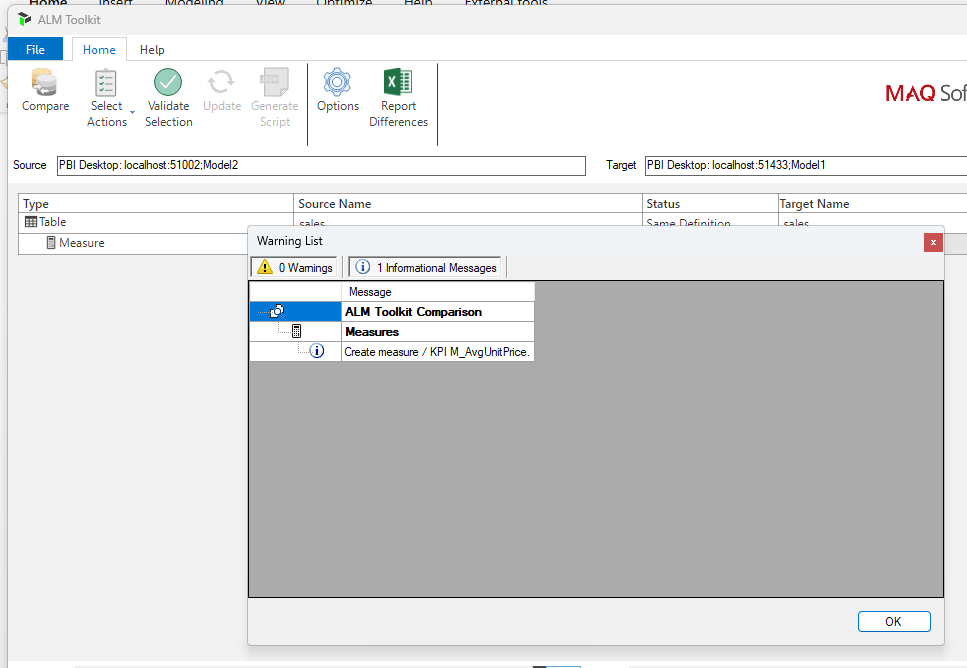
Select which action to perform for all your filtered selections, and select Validate Objects to check any issues:
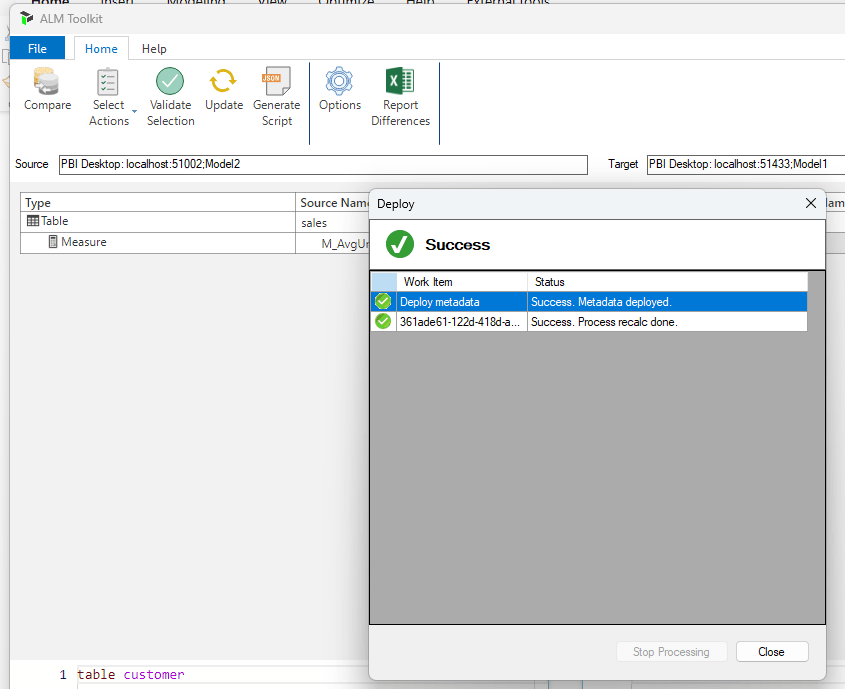
Finally, click the update button to make the changes in the Target model:
And both measures are now present in both of my semantic models:
That’s it!
Hope you can use this little tip if you need to compare multiple semantic models in the future.



 Downhill Data
Leave a reply to Merging the Measures of Two Power BI Semantic Models – Curated SQL Cancel reply