Introduction
So you built a nice Data Platform on Microsoft Fabric. Users are happily using a few Models and Reports, but you face two problems:
- Users are not aware of all the other awesome models, reports and even lakehouses that they already have access to, which they should be using.
- Users also don’t know anything about the models, report and lakehouses that they don’t have access to, but which could also be useful for them, if they requested access.
For my take on how best to solve this natively in Fabric, read on below.
Discovering content you already have access to
This one is reasonably simple. For content that you already have access to (access in this case meaning you are allowed to read/query data from said item), you have many ways of searching, discovering, browsing for it:
- The Home Page will show Recently accessed items, favourited items, pinned items, recommended items and more.

- The Global Search bar will display results for Items that are shared with you, either through Workspace or Item Permissions.
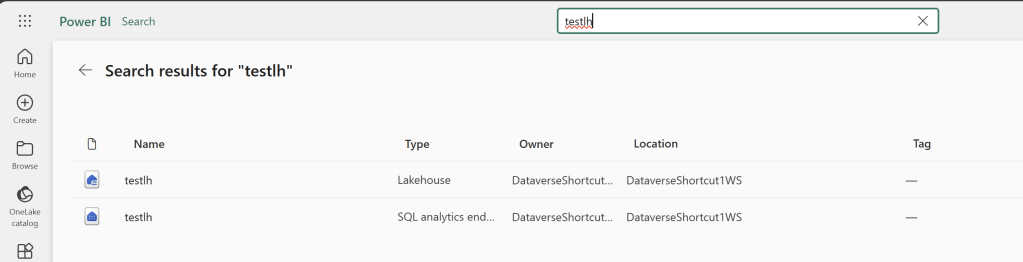
- Copilot Search will allow you to find items related to a topic or query
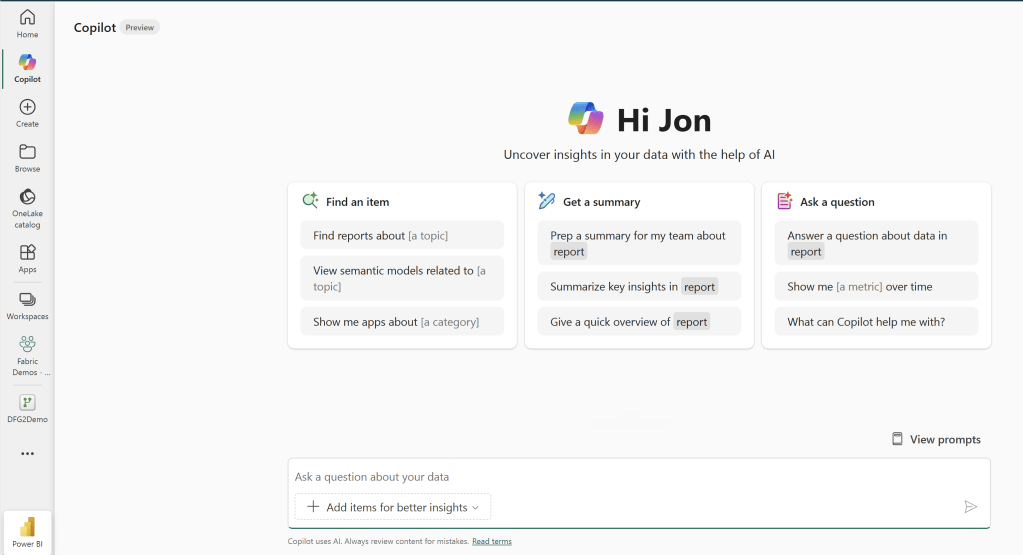
- Accessing workspaces directly will of course let you see the contents of that workspace

- And OneLake Catalog will allow you to browse, filter and search through all the items available to you
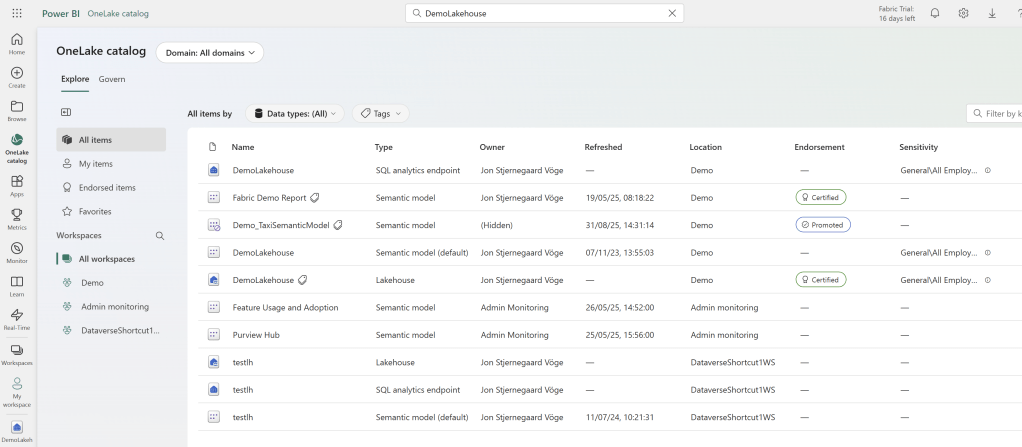
Either of these tools are fine, but Users will likely get the most out of OneLake Catalog, which consolidates information about Endorsements, Sensitivity Labels, Status, Location and more.
Selecting an Item that you have Read permissions to will even let you browse schemas, tables, columns, lineage and allow you to see Item Descriptions and Tags as well:
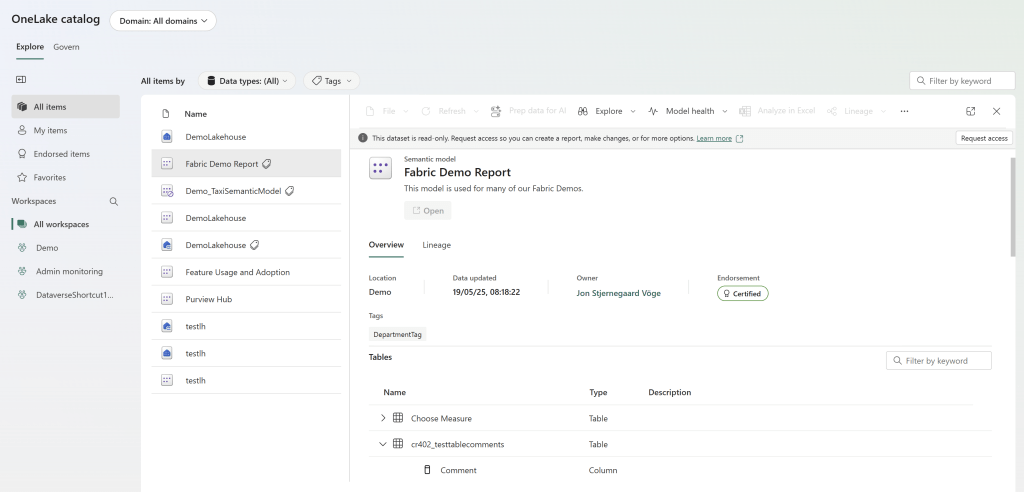
And for items with further priviliges, you will even be able to jump straight into editing said item, altering its settings, seeing permission information about the item, or other features depending on the item type.
Discovering content you don’t have access to
Things become a lot more difficult when we want to discover Items that we don’t already have read access to. Especially because all items are not made equal here…
One could hope that all endorsed (promoted, certified, master data) items would show up in OneLake Catalog for all to browse, but that is not the case. Instead, we have to work with a few alternative solutions.
Enabling Discovery Settings for Semantoc Models (only works for Semantic Models)
For Semantic Models, we have a couple of Admin Settings that allow us to make Endorsed Items discoverable:
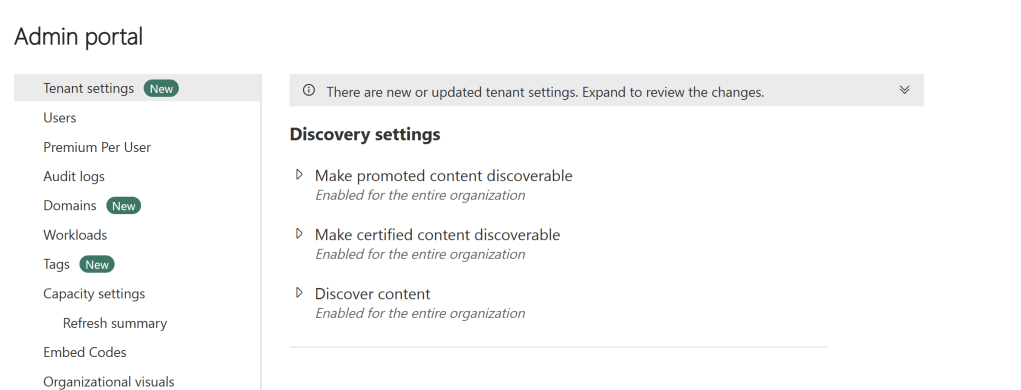
But while the setting descriptions sounds like this works for all items, don’t be fooled: It only works for Semantic Models!
Once enabled, you can select the “Make Discoverable” option for semantic models, during the endorsement process:

And the end user will now be able to find the Item in OneLake Catalog, without being able to see table/column level information. Tags and Descriptions will however show, and you can use those to communicate to your users, and there will be shortcut buttons for users to request additional access:

“Connect” Permissions on Lakehouses and Warehouses
Unfortunately, the above is as mentioned only possible for Semantic Models.
When you endorse a Lakehouse or Warehouse you do not have the same option to “make the item discoverable”. So how may we let users with no access know these items exist?
Well in short, we can’t. But we can do the second best thing: Grant them only CONNECT permissions, allowing them to see Schema and Table definitions of the Lakehouse and Warehouse, but not allowing any actual reading/querying of data.
You grant ‘Connect’ on Lakehouses and Warehouses by going to the “Share” dialogue, and sharing the item with the recipient, without checking any additional boxes:
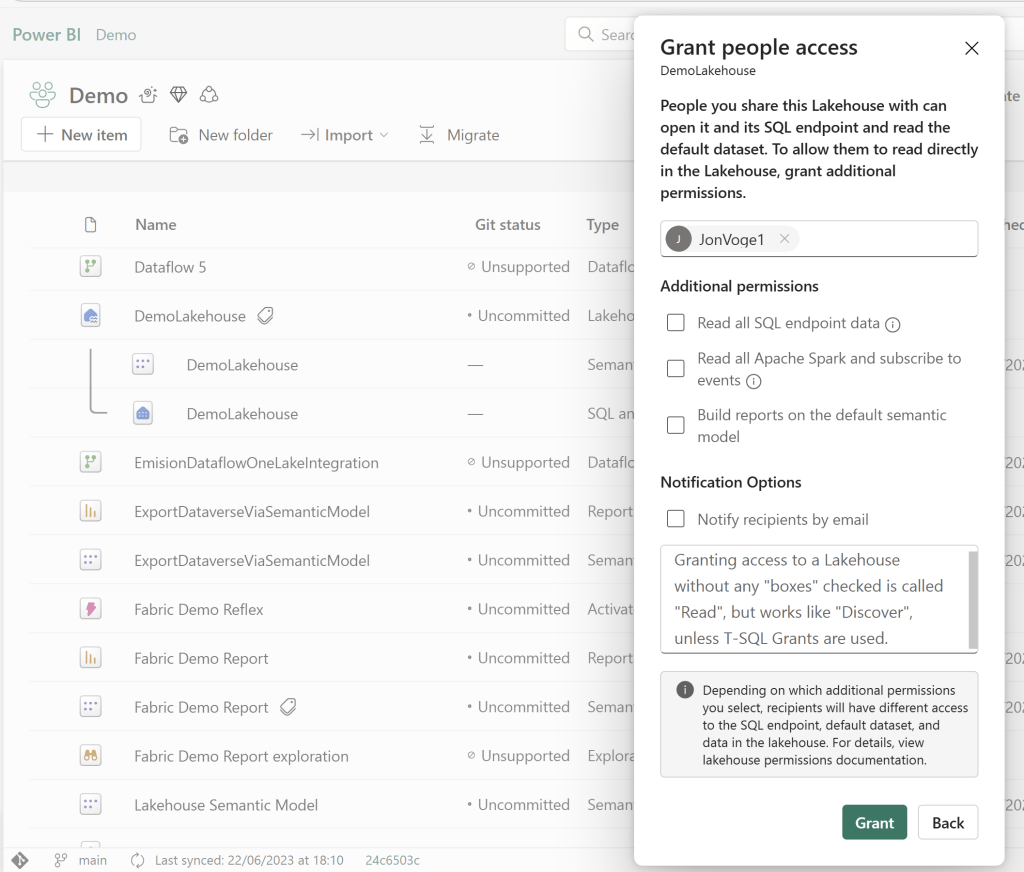
In the Item Permission overview, the user will be listed as having “Read”, but again don’t be fooled: The user can’t read any actual data, unless you start explicitly granting SELECT on specific tables with T-SQL grants:

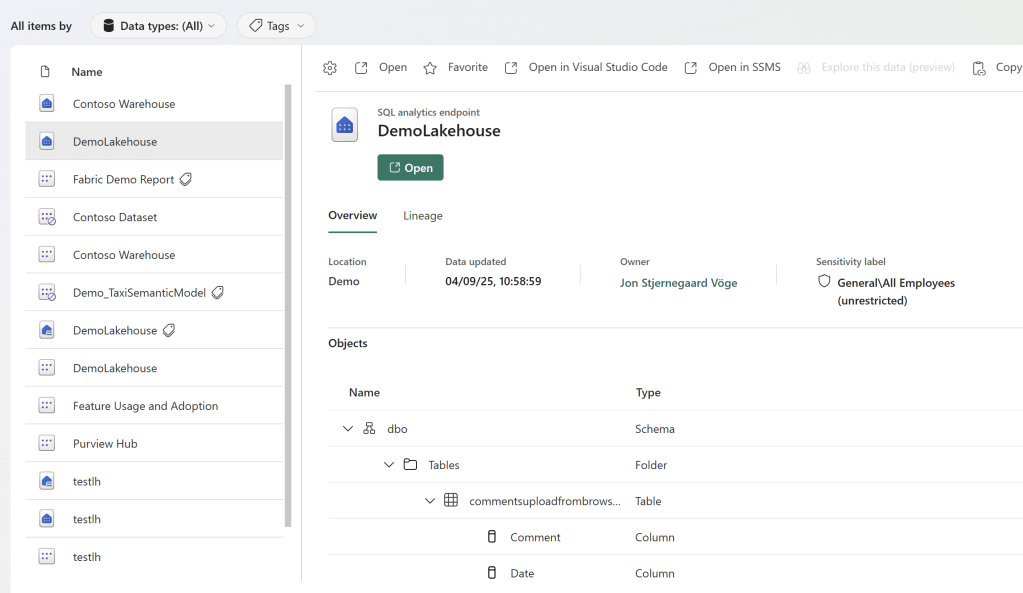
When the user opens OneLake catalog they will see the Lakehouse or Warehouse item (for Lakehouses they will also see the SQL Analytics Endpoint):

If they select the Lakehouse item itself, they won’t get much:

But the SQL Endpoint and the Warehouse item will show all the CONNECT related properties and information:
Now… What about Reports?
Despite being able to endorse them, there is no discoverability setting like for Semantic Models.
But you can share “Read” permissions directly to a Report, a bit like with Lakehouses and Warehouses. However, this permission is indeed ‘Read’, and not ‘Connect’. And depending on from where you grant permissions to the report, and which storage mode the underlying semantic model uses, you might end up automatically sharing read permissions on the Semantic Model too (which you may or may not want to do), so make sure to check your Semantic Model permissions afterwards:

Finally, you are of course also able to share your reports to a Workspace App, and share said App with the people you desire. Then they can find the App from the Apps menu in their browser. But… There’s no such thing as a free lunch, right? Workspace Apps don’t show up in OneLake Catatlog…
Despite the fact that Workspace Apps may also be Endorsed, and you can even customize the Access Request message:

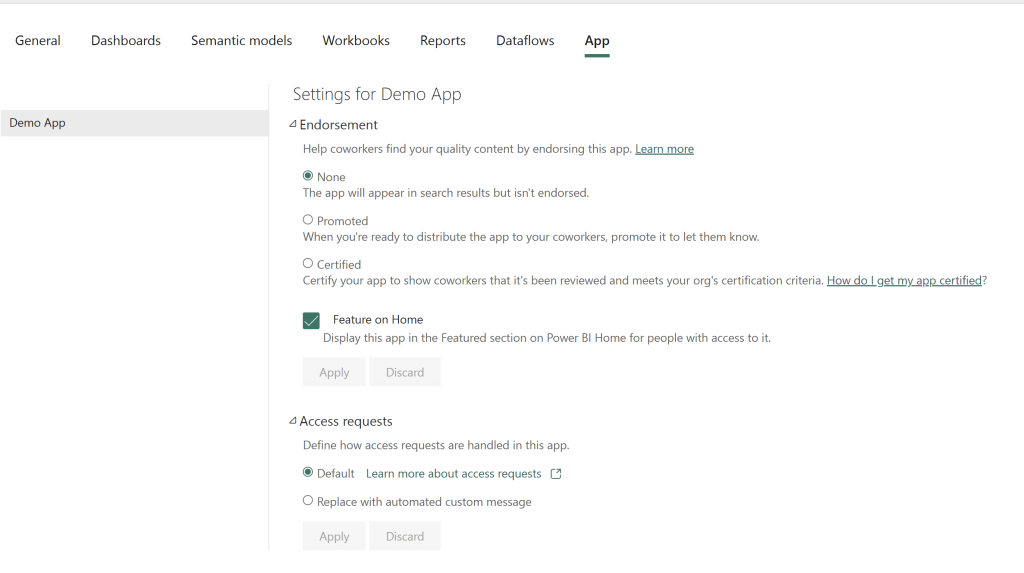
What good does that do, if they are not discoverable from the OneLake Catalog?
You could substitute in the new Org Apps Fabric Item, but they are not a 1:1 substitution. Not yet at least: First look at the new Organizational Apps for Power BI / Fabric – Reflections and Usage Pattern Ideas – Downhill Data
Taking advantage of this in practice
With the above status on discoverability and OneLake Catalog capabilities in mind, I would argue in favour of allowing discoverable Semantic Models as well as widely sharing regular Read/Connect permissions on your Warehouses and Lakehouses. Especially for those items which are endorsed, and that you want people to be able to request access to.
Of course, you don’t do this for Lakehouses/Warehouses which are meant to be secret, or has something in their Table/Column names that you do not want to share.
But for those widely-shareable platform warehouses and lakehouses, go ahead and find a couple of AD groups to grant those Read permissions.
And for reports? Well… I don’t have a great solution for you, for letting users discover Power BI Reports natively in Fabric. Workspace Apps are the best bet I suppose, but with no OneLake Catalog support I am hesitant. Direct Read Permissions are an ok alternative, but as it is easy to accidentally share model permissions too, I would not recommend just sharing report read permissions with your entire organisation.

 Downhill Data
Leave a reply to Content Discovery in Microsoft Fabric – Curated SQL Cancel reply